Hello there, tech wizards! 🧙♂️💻 Got a robot that needs to roam across different Wi-Fi networks? Look no further! The X40 series has got you covered for connecting to multiple Wi-Fi networks. Here’s how you can expand your robot’s connectivity with ease.
Step-by-Step Guide to Multi-WiFi Magic
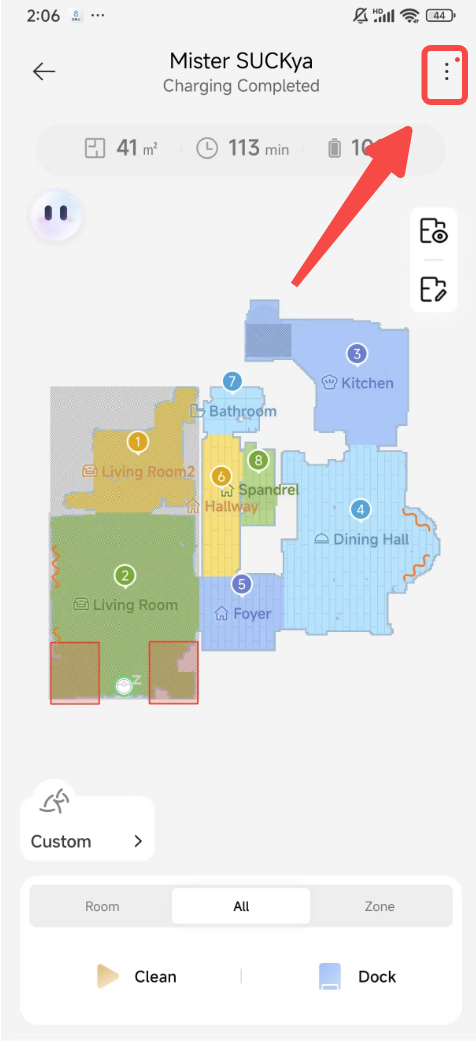
Step 1: Dive into Device Settings
- Start by heading to your device’s settings page.
- Look for the “More functions” option and give it a click to proceed.
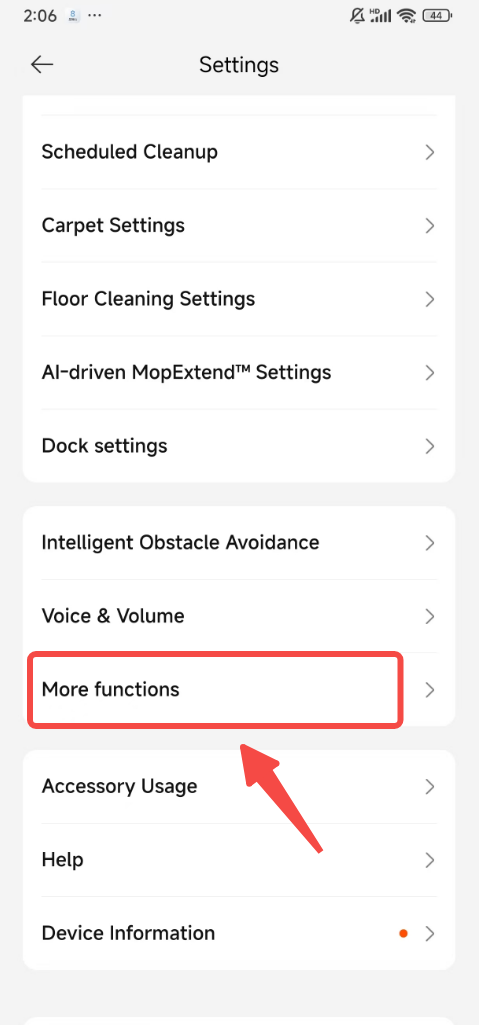
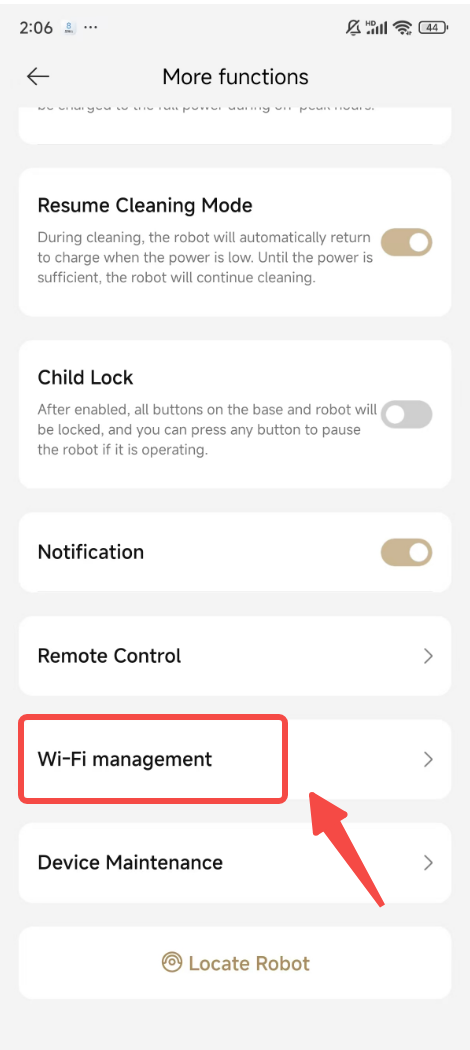
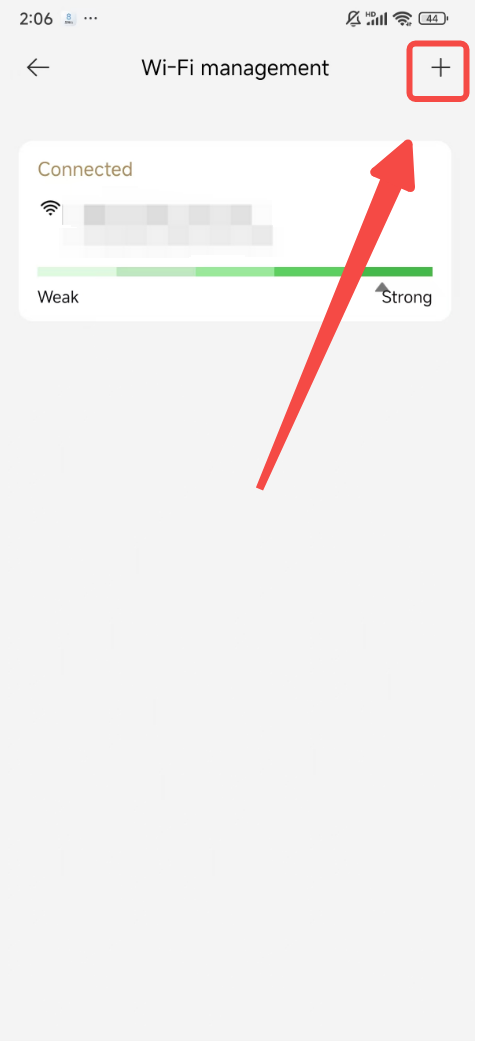
Step 2: Navigate to Wi-Fi Management
- Once you’re in the more functions area, seek out and click on “Wi-Fi management.”
- This will lead you to the Wi-Fi list, which is where the magic happens.
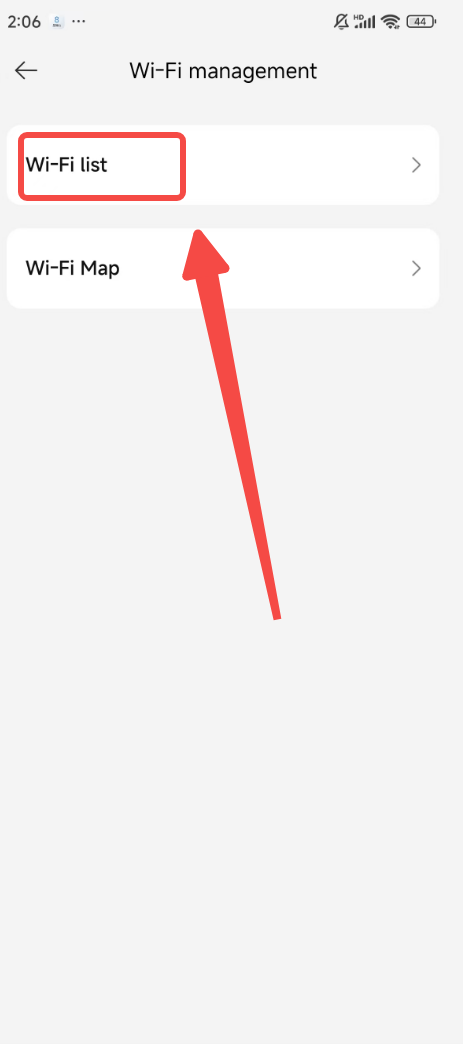
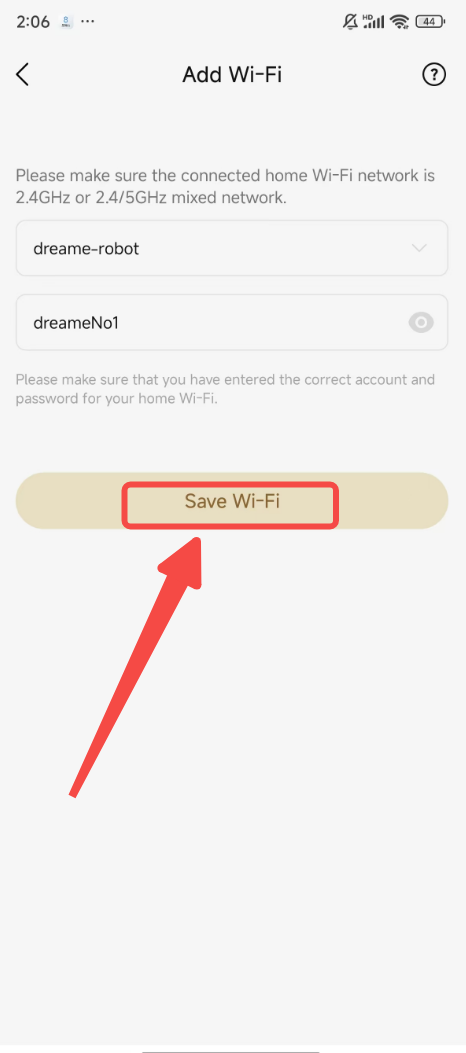
Step 3: Expand Your Wi-Fi Network List
- Here, you’ll see a "+" sign beckoning you to add a new Wi-Fi network. Go ahead and tap it.
- After entering the new Wi-Fi details, don’t forget to click “Save Wi-Fi” to secure the connection.
And voilà! Your robot is now equipped to handle multiple Wi-Fi networks like a pro. 🌐🔌
A Quick Note
Please remember, this multi-WiFi functionality is exclusive to the X40 series. Other models might not have the same capabilities, so it’s all about selecting the right model for your needs.
Conclusion
With these simple steps, you’ve just boosted your robot’s connectivity, ensuring it can switch between networks with ease. 🏠📡
If you ever need more assistance or have questions, we’re just a call or click away. Happy connecting, and may your robot roam free across all your Wi-Fi networks! 🤖💪

Comments
1 comment
Do I use house wifi or phone data
Please sign in to leave a comment.