Hello there, global cleaning guru! 🌍🤖 Looking to switch the language on your robot vacuum to better match your linguistic preferences? We've got you covered with a straightforward guide tailored to your device model. Let's dive into how you can change the language settings on your robot.
For L20 Series/L30 Series/X30 Series
Step 1: Navigate to Settings
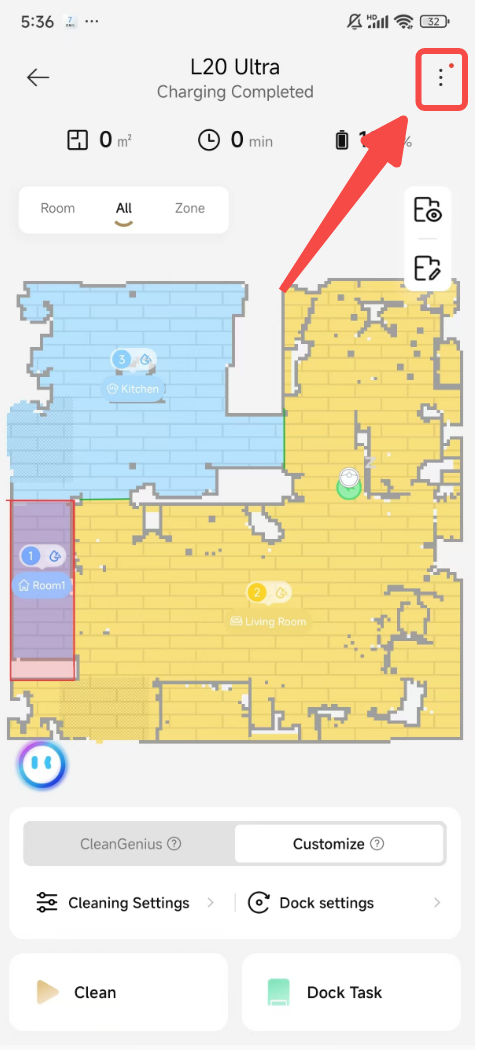
- Start by heading to the device homepage.
- Look for the "Settings" option and give it a click.
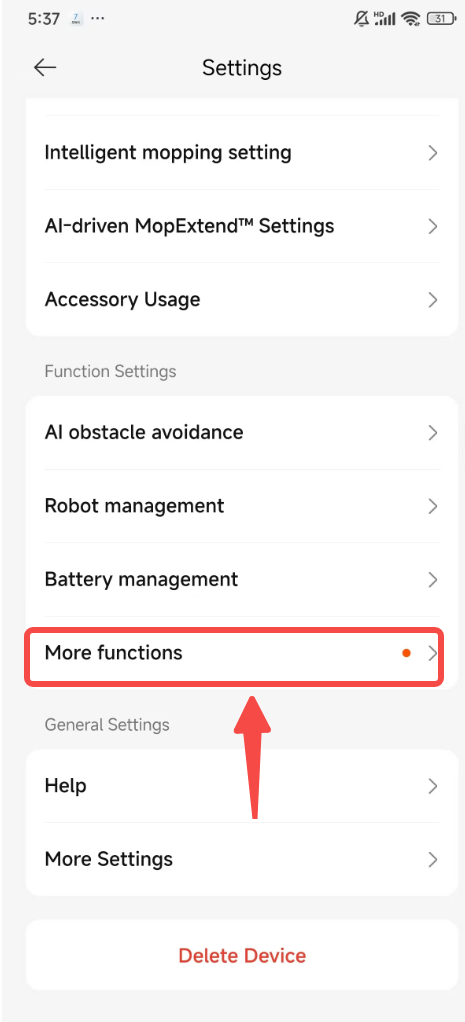
- Seek out and select "More Functions" to delve deeper into the settings.
Step 2: Adjust Voice & Volume
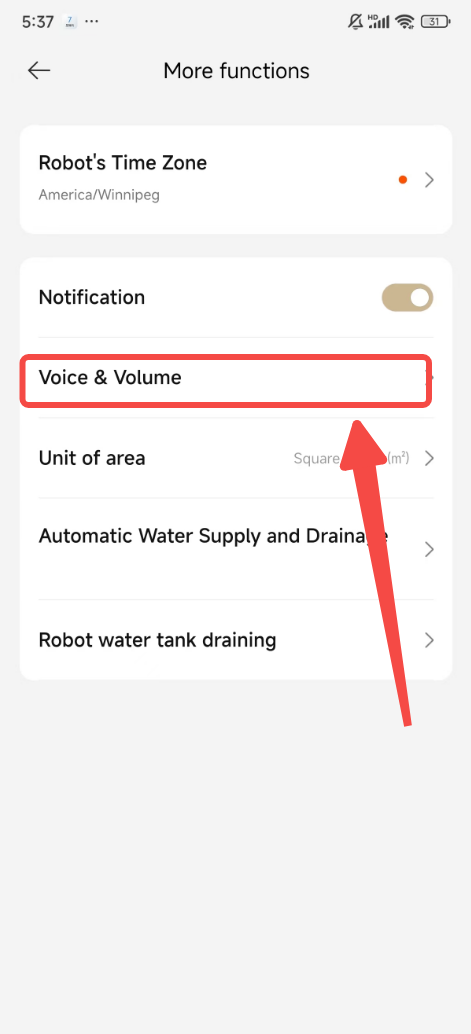
- Once you're in the "More Functions" menu, find and select "Voice & Volume."
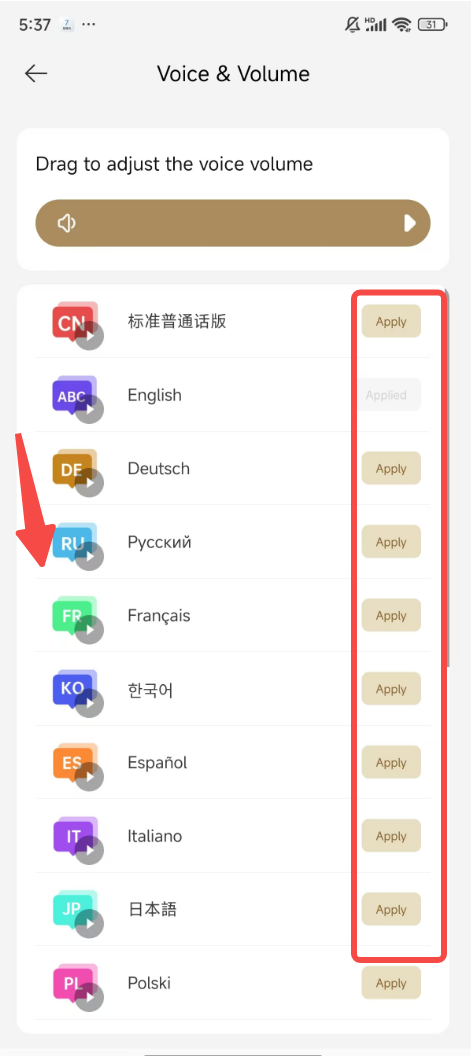
- Browse through the list of available languages.
- Select the language you wish to switch to and click "Apply" to confirm your choice.
For X40 Series
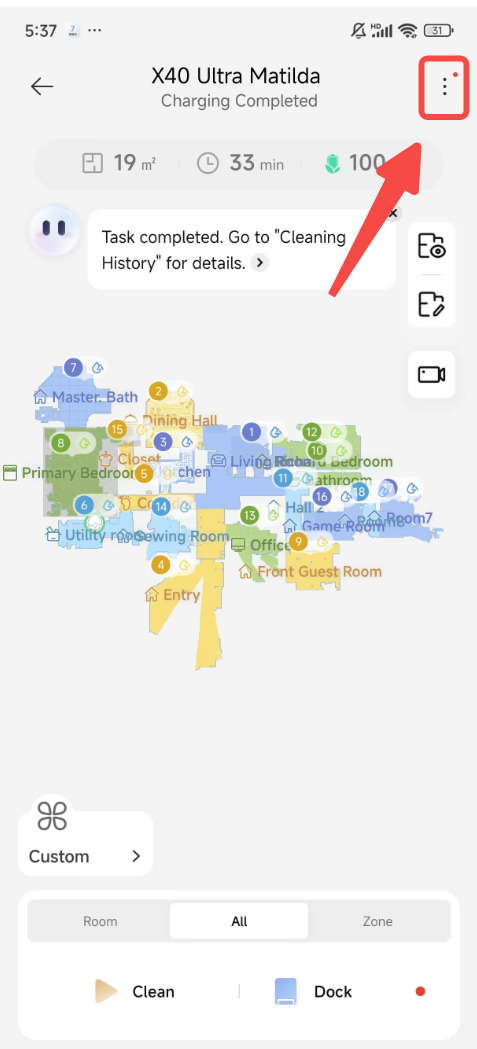
Step 1: Head Straight to Voice & Volume
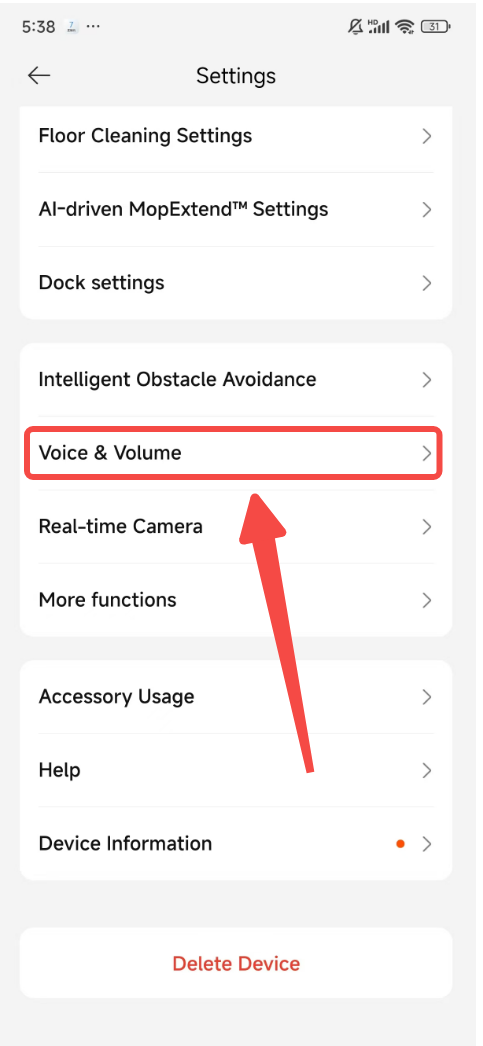
- Begin on the device homepage and click on "Settings."
- Directly select "Voice & Volume" to access the voice settings.
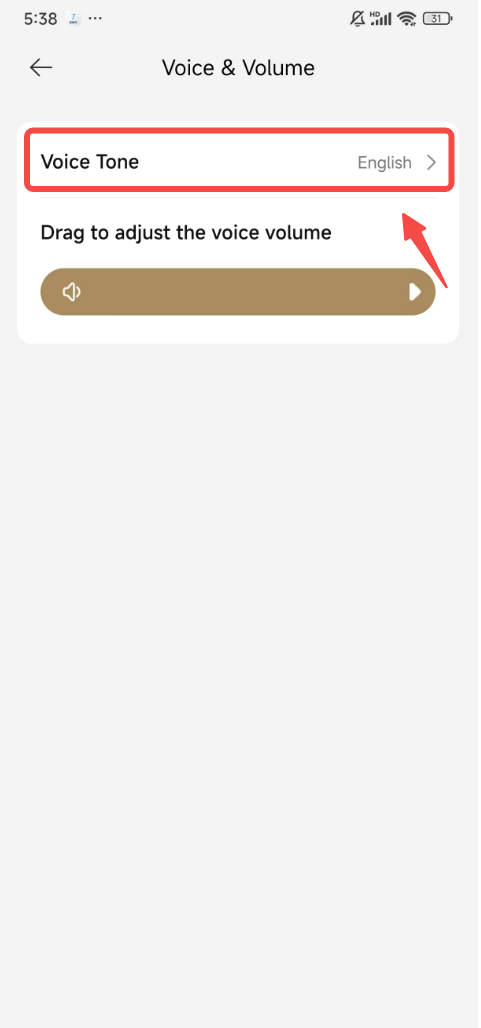
Step 2: Customize Voice Tone
- Within the "Voice & Volume" menu, tap on "Voice Tone."
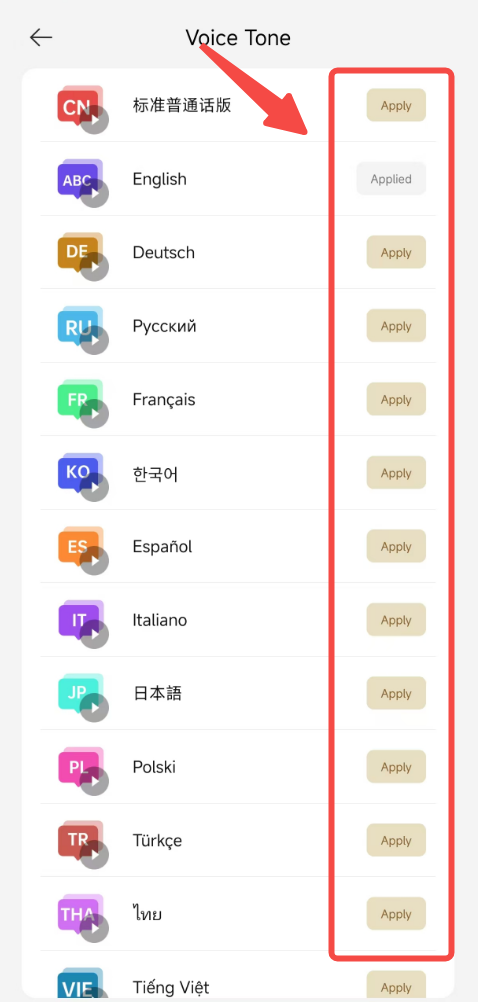
- Scroll through the language options to find your desired language.
- Make your selection and click "Apply" to set the new language for your robot.
And there you have it! Your robot vacuum is now ready to communicate with you in the language of your choice. Whether you're switching for personal preference or to accommodate a multilingual home, this simple process ensures your robot stays in tune with your needs.
If you encounter any hiccups or have more questions, feel free to reach out to our customer service. Happy cleaning in any language! 🌟🧹

Comments
0 comments
Please sign in to leave a comment.