Introduction: The H11Max/H11 device offers a user-friendly interface for adjusting volume and switching between languages, enhancing your audio experience. This guide will walk you through the process of managing these settings effortlessly.
Adjusting Volume: To adjust the volume on your H11Max/H11, follow these simple steps:
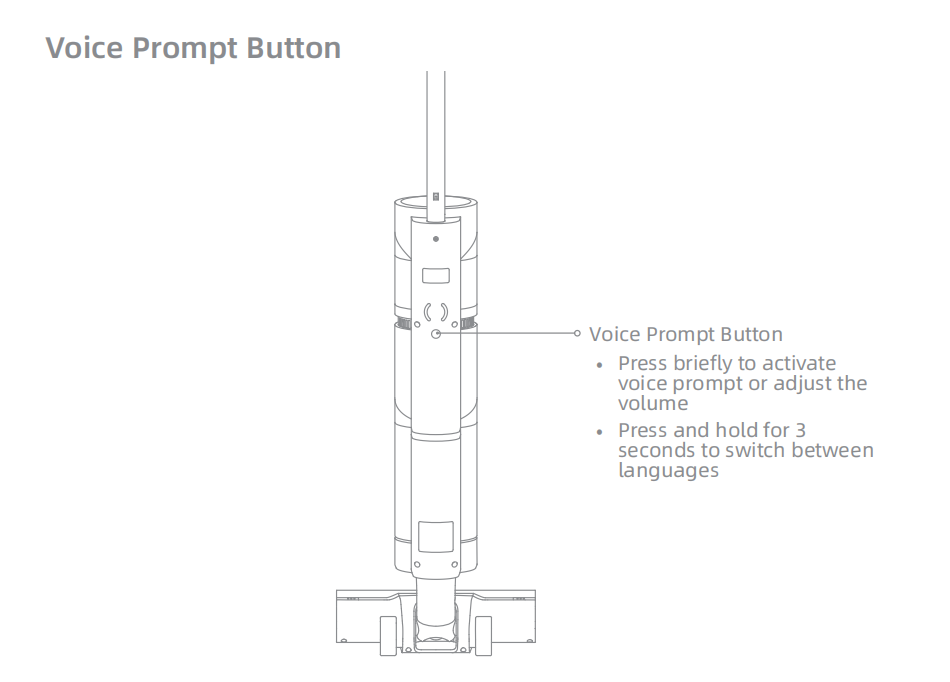
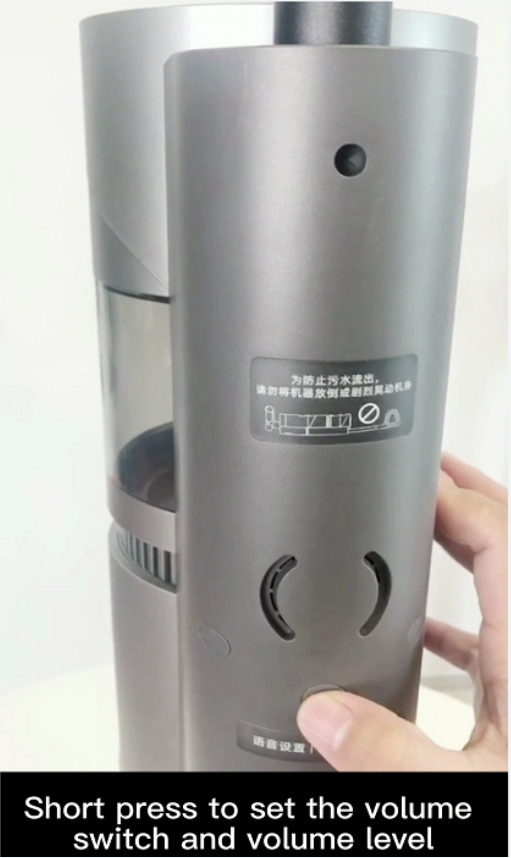
- Locate the Voice Prompt Button: Find the dedicated button on your device, typically marked with symbols or icons.
- Press Briefly: Gently press the button once to activate the voice prompt. This action will also allow you to adjust the volume up or down.
- Use the Button for Volume Control: Continue pressing the button to increase or decrease the volume as needed.
Switching Languages: To switch between languages on your H11Max/H11, use the following method:
- Hold the Voice Prompt Button: Press and hold the voice prompt button for exactly 3 seconds.
- Release the Button: After holding for 3 seconds, release the button to cycle through the available language options.
- Confirm the Language Change: The device will announce the new language setting, confirming the switch.
Additional Tips:
- Quick Access: Keep the device within easy reach to quickly adjust settings.
- Language Preference: Familiarize yourself with the language options to ensure you select the correct one.
- Volume Settings: Adjust the volume to a comfortable level for your listening environment.
Conclusion: With these straightforward steps, you can easily manage the volume and language settings on your H11Max/H11. For further assistance or inquiries, refer to the user manual or contact customer support.
Support Information: For additional help or if you encounter any issues, please consult the device's user manual or reach out to the customer support team for assistance.

Comments
0 comments
Please sign in to leave a comment.