Hello, smart home aficionado! 🏡✨ Ready to connect your Dreame Home devices to Alexa and control them with your voice? Let's get your devices chatting with Alexa in a few easy steps!
📱 Step-by-Step Binding Process
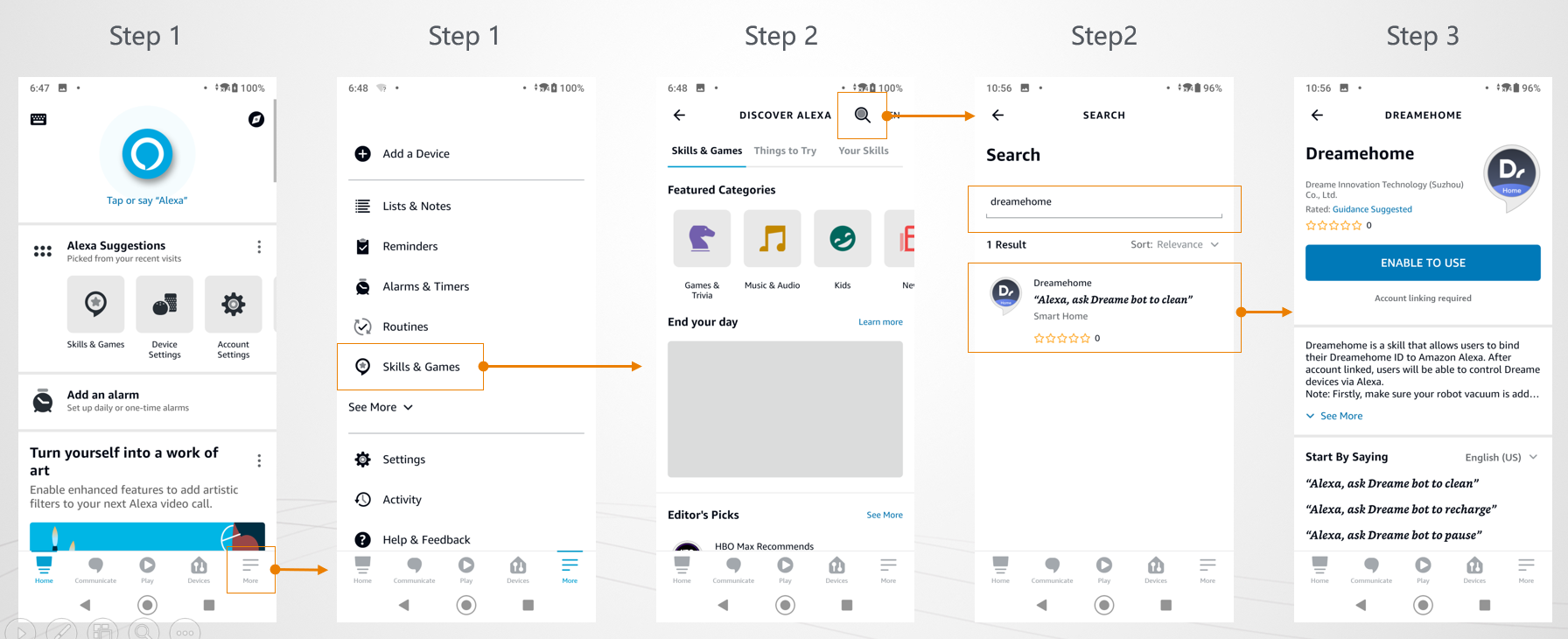
Step 1: Open the Alexa App
- Go to "More": Launch the Alexa App and navigate to the "More" section.
- Select "Skills & Games": This is where you manage all your Alexa skills.
Step 2: Search for Dreame Home
- Click the Magnifying Glass: Use the search function within the Alexa App.
- Enter "dreamehome": Type "dreamehome" into the search bar. Be precise—Alexa is particular about spelling!
Step 3: Select Dreame Home from Results
- Choose "Dreamehome": From the search results, tap on "Dreamehome" to go to the skill page.
Step 4: Enable the Skill
- Click "ENABLE TO USE": This button will activate the Dreame Home skill for your Alexa.
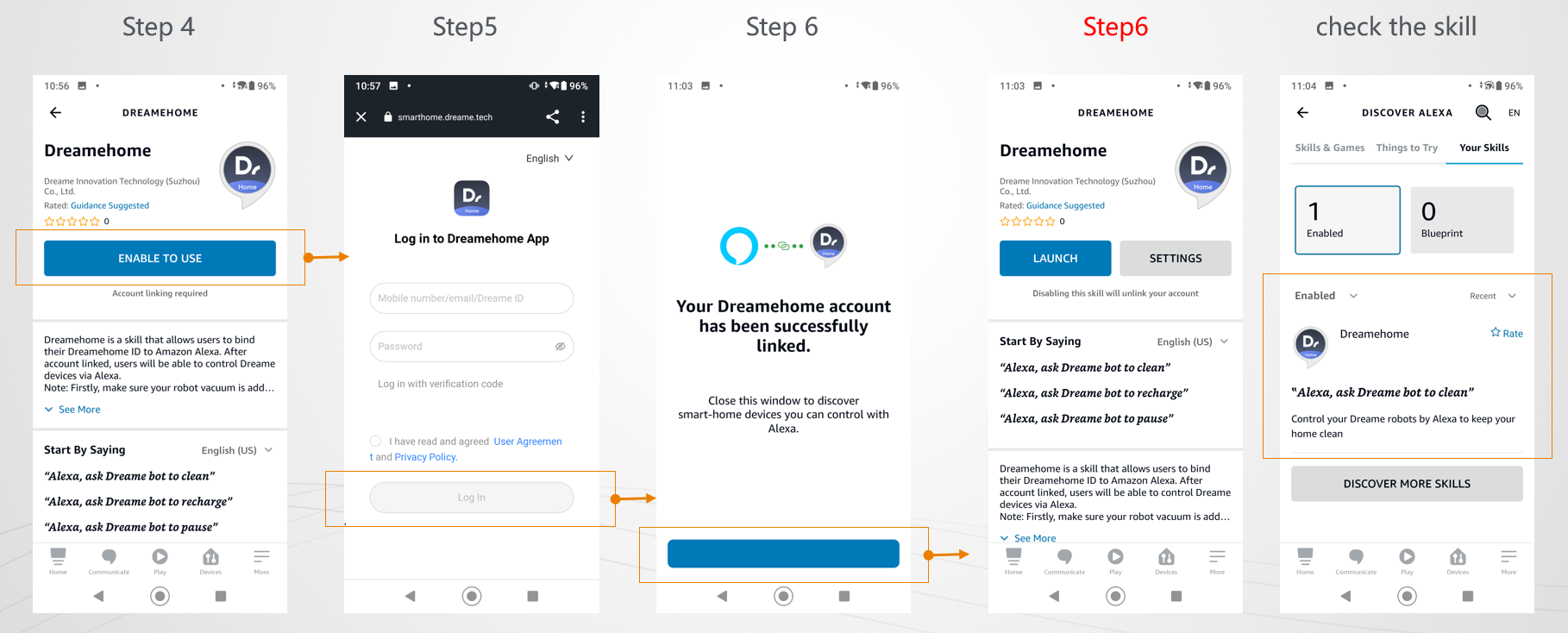
Step 5: Log in to Your Dreame Home Account
- Click "Log in": You'll be prompted to log in to your Dreame Home app account.
- Start Association: This step begins the process of linking your Dreame Home account with Alexa.
Step 6: Wait for the Magic
- Check Binding Result: Give it a few seconds. You'll see a message indicating whether the binding was successful.
- Return to Skill Page: If successful, you can return to the "Dreamehome" skill page from the提示.
- Retry if Needed: If it doesn't work, no worries! Just repeat the steps above.
📍 Viewing Your Enabled Skills
- Go to "More": Once you're back in the Alexa App, navigate to "More" again.
- Select "Skills & Games": This will take you to your skills management page.
- View "Your Skills": Here, you can see all your enabled skills.
- Check "Enabled": Your Dreame Home skill should be listed here, ready for use.
💡 Tips for a Smooth Setup
- Double-Check: Make sure both your Dreame Home and Alexa apps are up to date.
- Stay Connected: Ensure your device is online and connected to the internet during the setup.
- Be Patient: Sometimes, linking might take a little longer. Patience is key!
Final Thoughts
With these steps, your Dreame Home devices should be happily chatting with Alexa, ready to obey your voice commands. Remember, a well-connected home is a smart home! If you need further assistance, we're just a call or click away. Happy smart home building! 🏡🤖

Comments
0 comments
Please sign in to leave a comment.