Are you looking to take control of your home's cleaning map with precision? Look no further! The Dreame Home or Mi Home APP offers a powerful map splitting feature that allows you to divide a single room into two, tailoring your smart vacuum cleaner's cleaning routes to perfection.
Map Division Overview
This feature is a game-changer for managing large spaces or creating detailed cleaning paths for your vacuum. Let's dive into how you can efficiently split maps for different series of Dreame vacuums.
Room Partition for D9 Series/D10 Series/L10 Series
Step 1: The Art of Division
- Enter the map management page and locate the 'split' function to begin the division process.
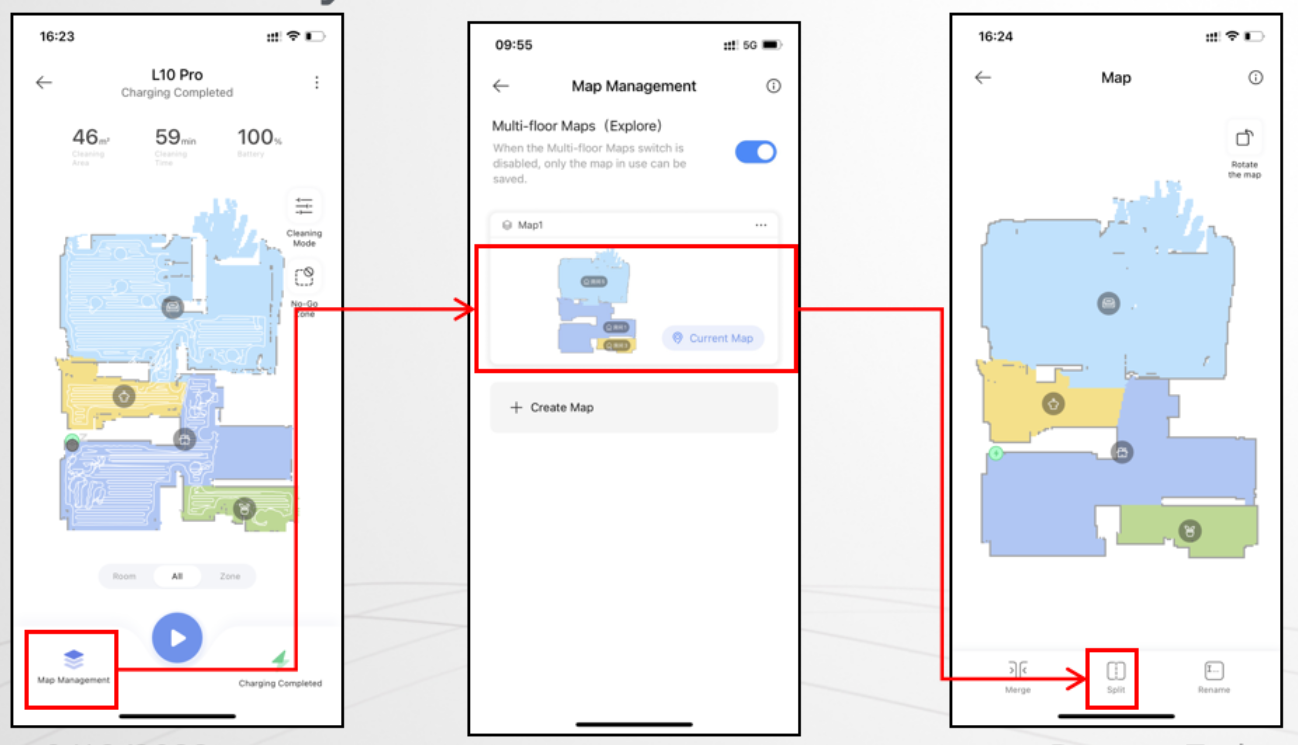
Step 2: Examples of Division
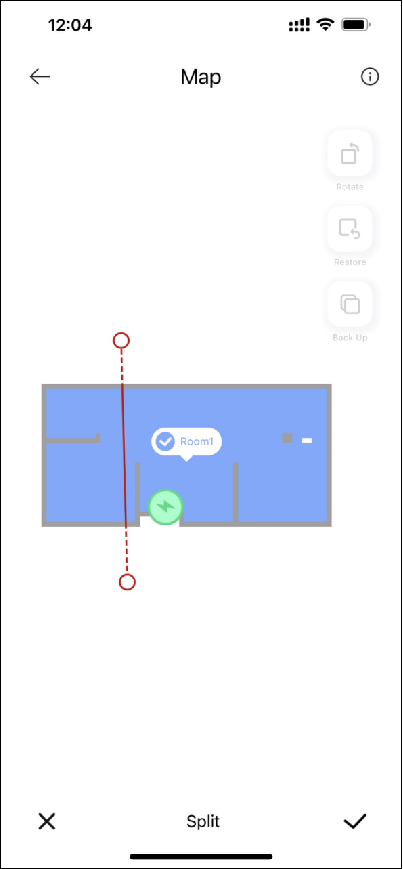
- Successful Division: Ensure the dividing line is a straight line covering the entire width of the room. This will create two distinct, manageable rooms.
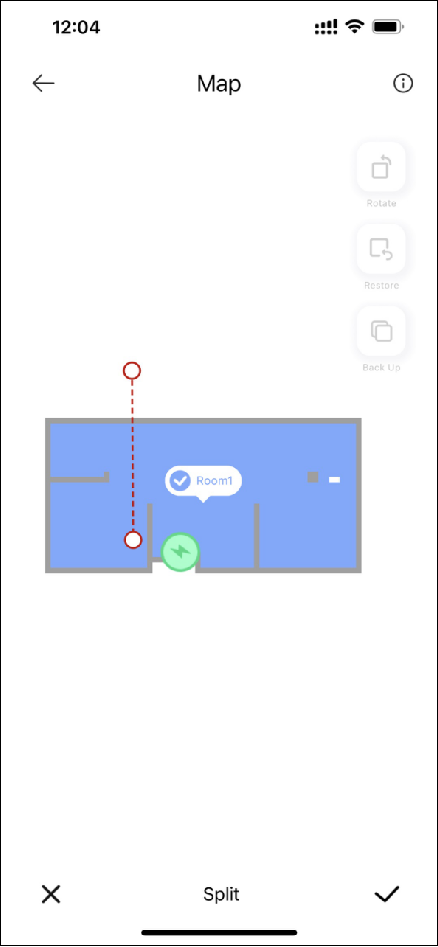
- Unsuccessful Split: Avoid lines that are too short, don't reach the edges, or are interrupted.
Room Partition for L20 Series/L30 Series/X30 Series
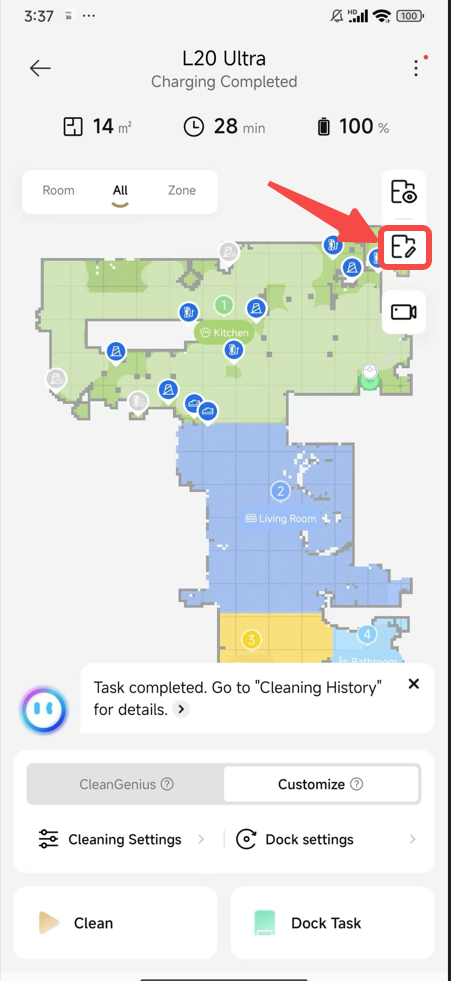
Step 1: Click Map Editing --> Click Room Partition --> Click Divide
- Begin by accessing the map editing tools and selecting the room partition option.
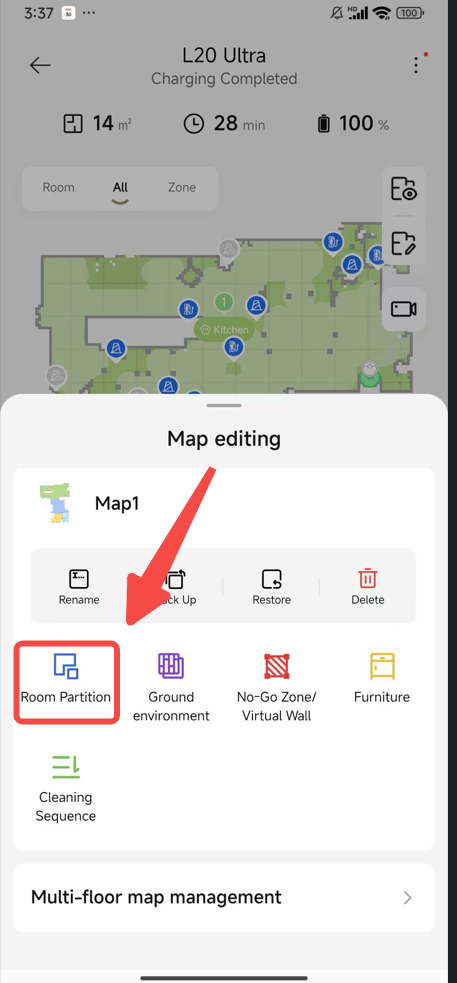
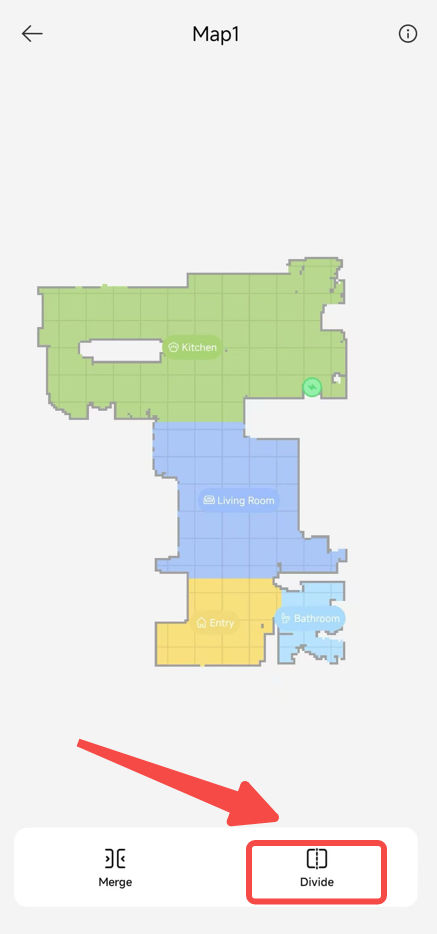
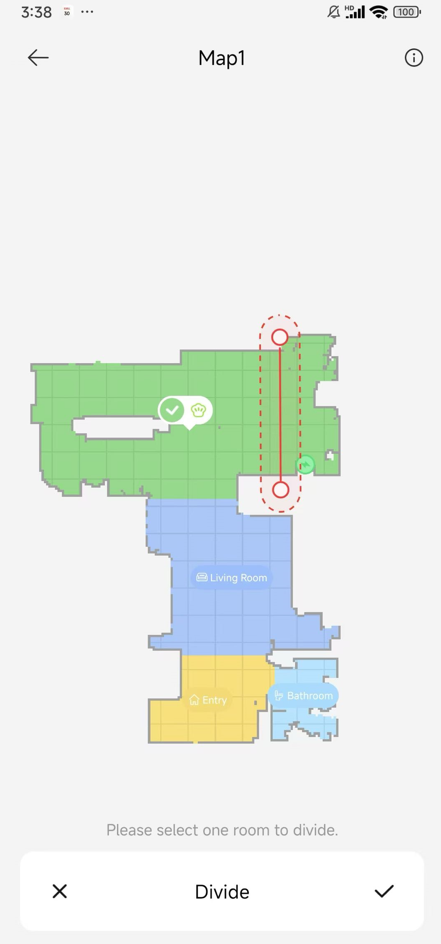
Step 2: Click Divide and select the room you want to partition
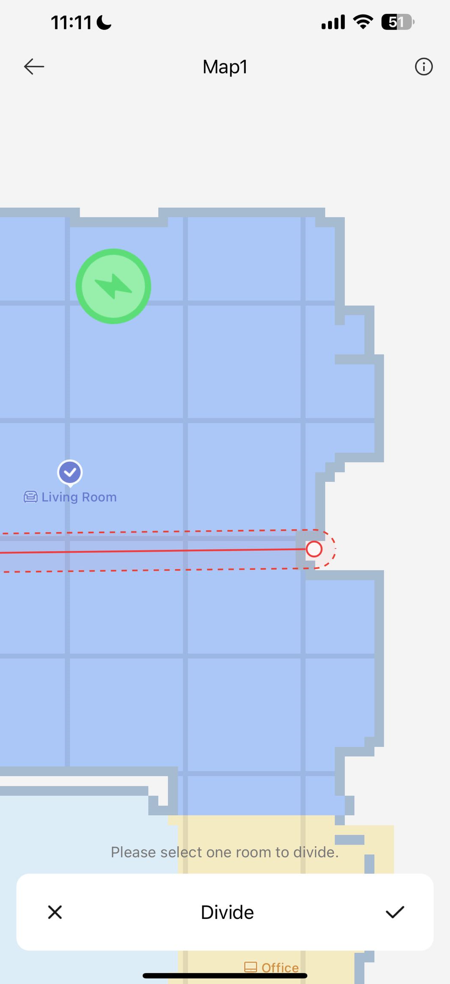
- Successful Division: A straight line that spans the room's width will yield two separate rooms. Look for the dividing line to turn solid red, indicating success. Click √ to save.
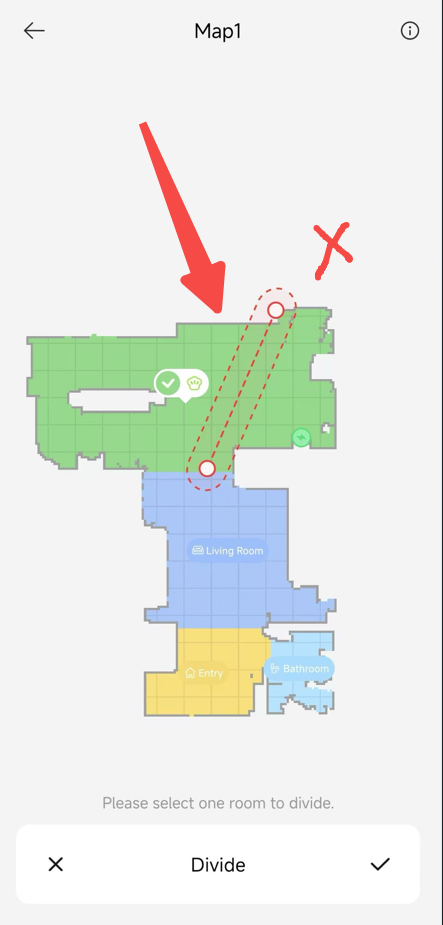
- Unsuccessful Division: If the line is dotted red, adjust it to solid red before saving.
Room Partition for X40 Series
Step 1: Click Map Editing --> Click Room Partition --> Click Divide
- Access the map editing tools and initiate the room partition process.
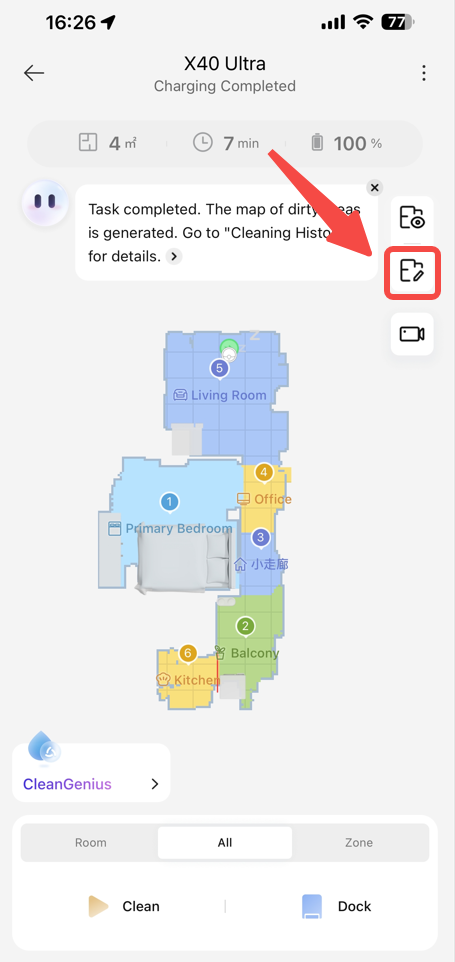
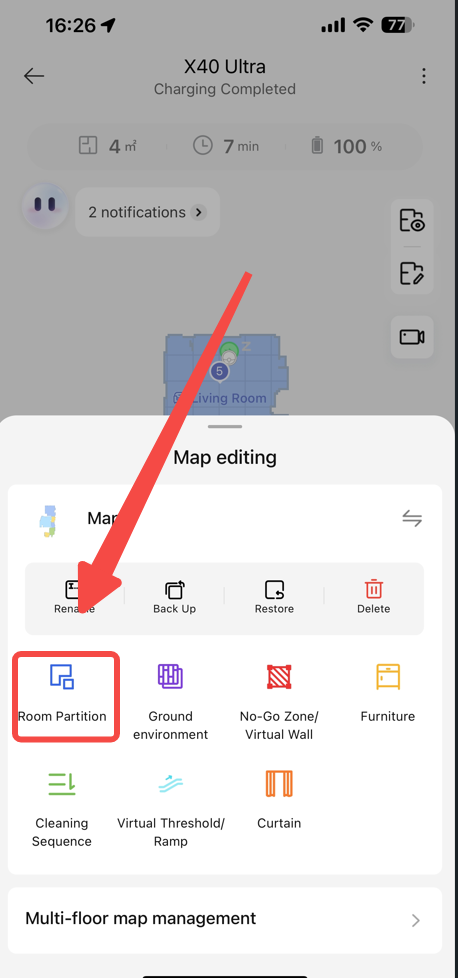
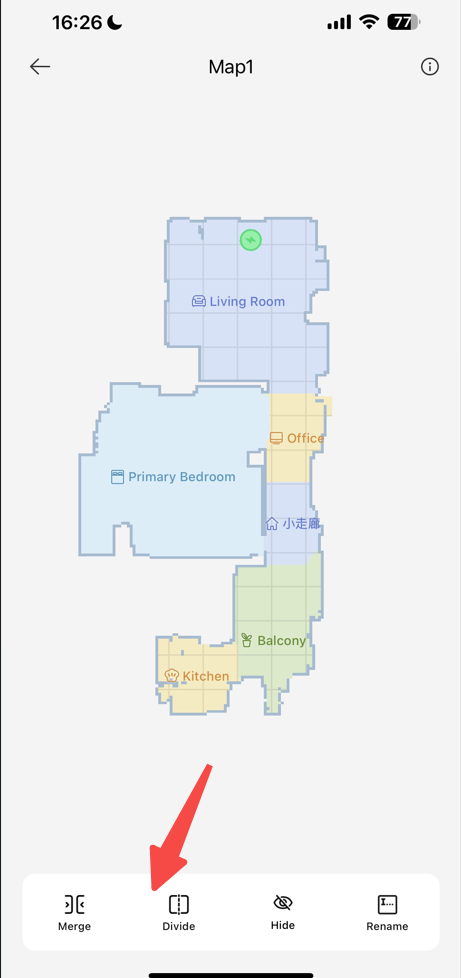
Step 2: Click Divide and select the room you want to partition
- Successful Division: A straight or appropriately curved path that covers the entire width results in two distinct maps. Solid red indicates a successful split. Click √ to save.
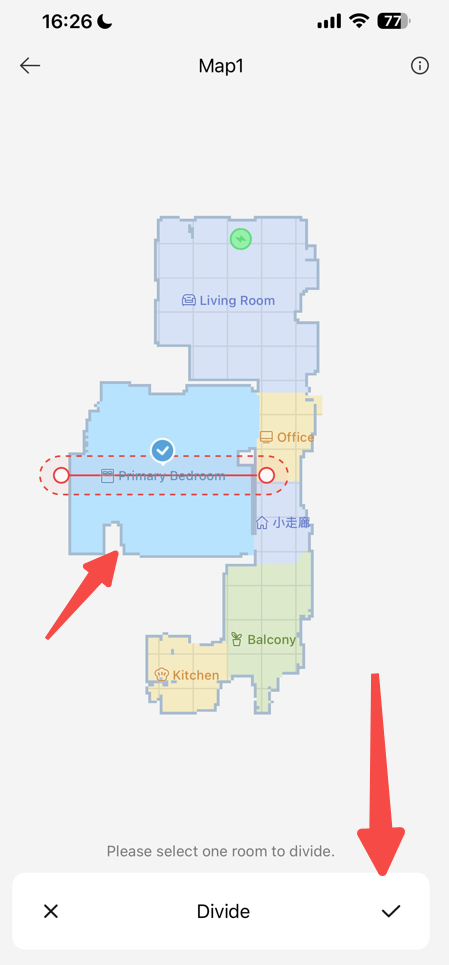
- Tips for Perfect Divisions:
- Use the Zoom Feature: Zoom in for precision when drawing the dividing line.
- Check for Obstacles: Consider obstacles and furniture that may affect your vacuum's path.
- Save Your Work: Always save after successful division to apply changes to your cleaning maps.
Conclusion
Splitting maps in the Dreame Home or Mi Home APP is a simple yet powerful way to customize your cleaning experience. By following these steps and tips, you can ensure that your maps are divided with efficiency and accuracy, leading to a more organized and thorough cleaning routine. Take control of your home's cleanliness today with precise map management!

Comments
1 comment
I am still unable to use room dividing. Have attempted on two IOS devices.. HELP
Please sign in to leave a comment.