Hey there, smart home enthusiast! 🤖🎉 Ready to give your robot vacuum a voice? Let's get your Echo and Dreame vacuum dancing to the same tune with Alexa. It's a breeze, and I'm here to guide you through it!
🔍 Step 1: Check Your Echo's Pulse
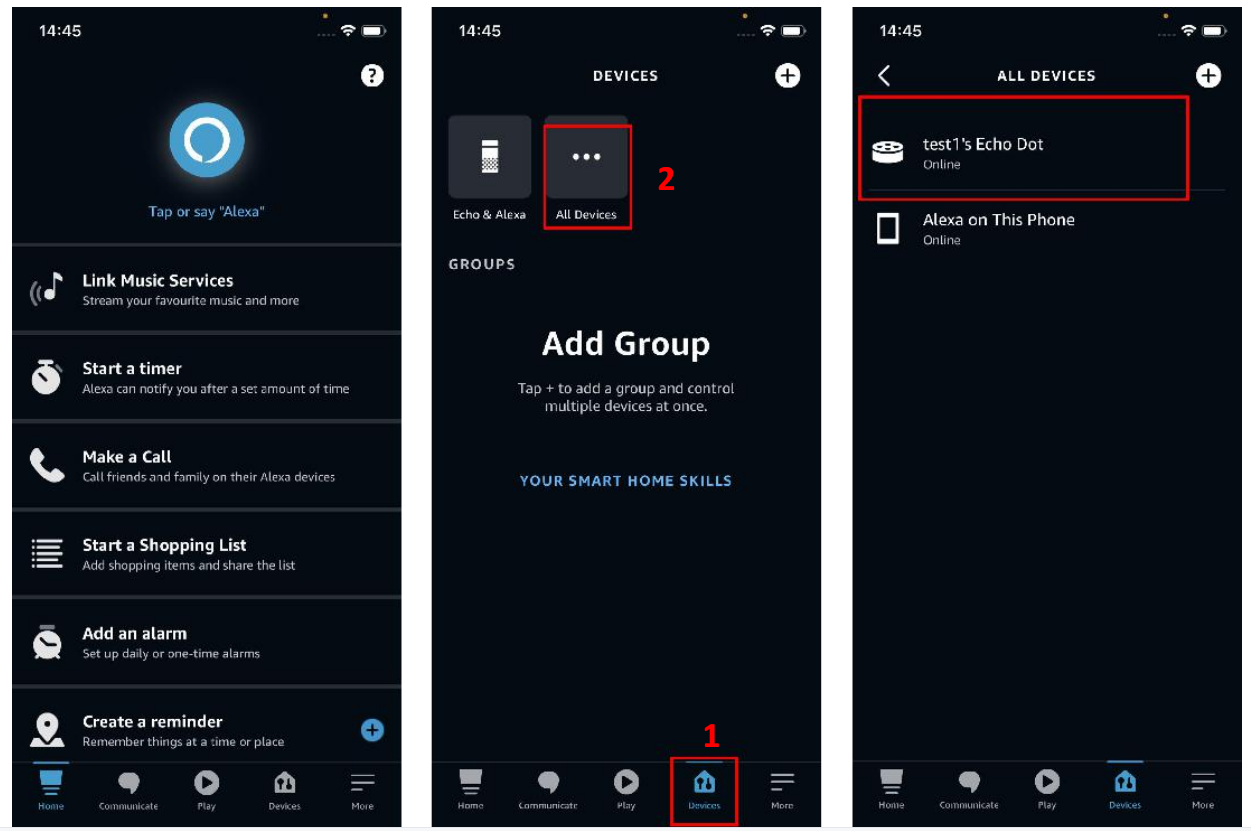
First things first, let's make sure your Echo is all bright-eyed and bushy-tailed online:
- Tap on "Devices" at the bottom of your Alexa app.
- Then, hit "All devices" to see if your Echo is ready to roll.
🤝 Step 2: Link Alexa and Dreamehome Like BFFs
Now, let's get Alexa and Dreamehome to be best pals:
- From the bottom of your Alexa app, tap "More."
- Choose "Skills & Games" to dive into the fun stuff.
- In the search bar, type "Dreamehome" and hit search.
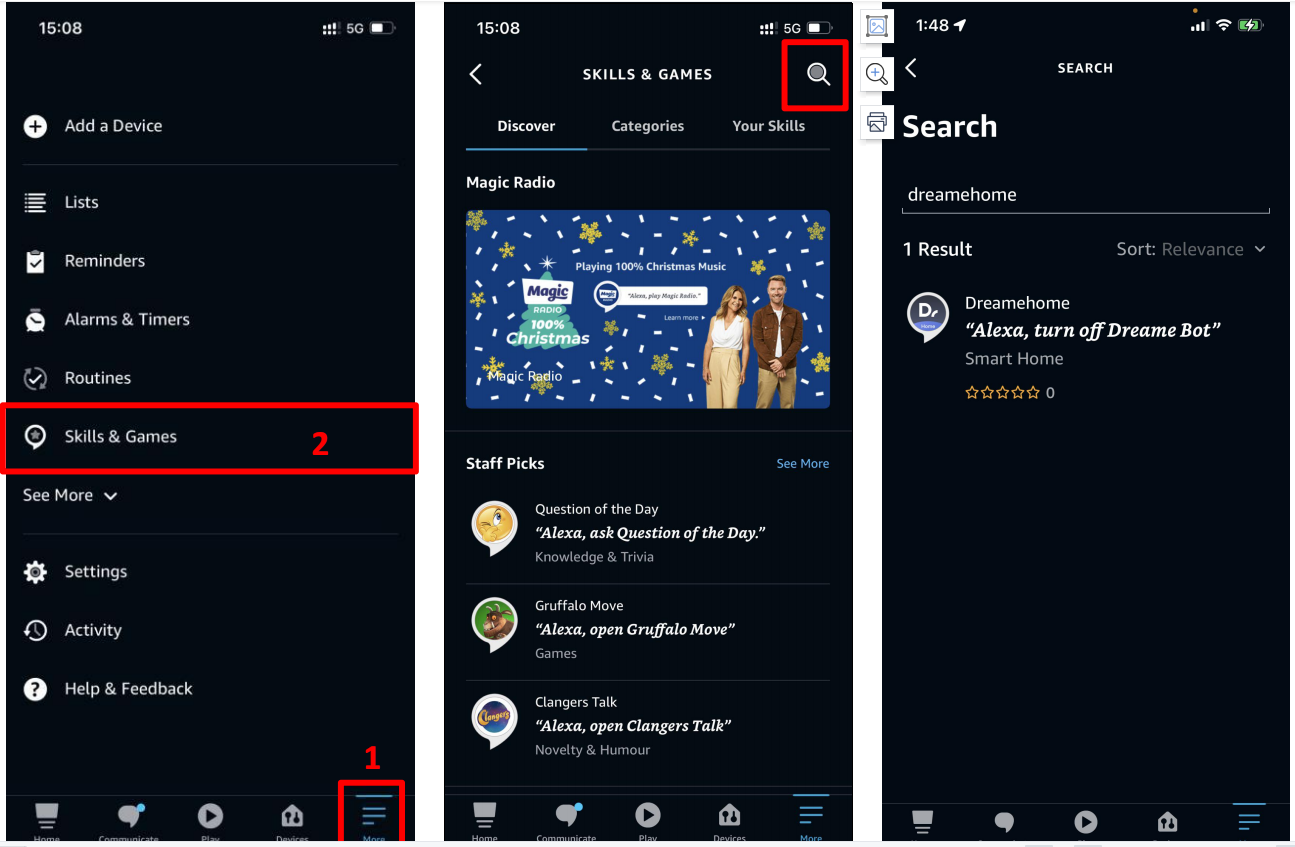 4. Spot "Dreamehome" skill? Tap it!
5. Enable the skill to get the party started.
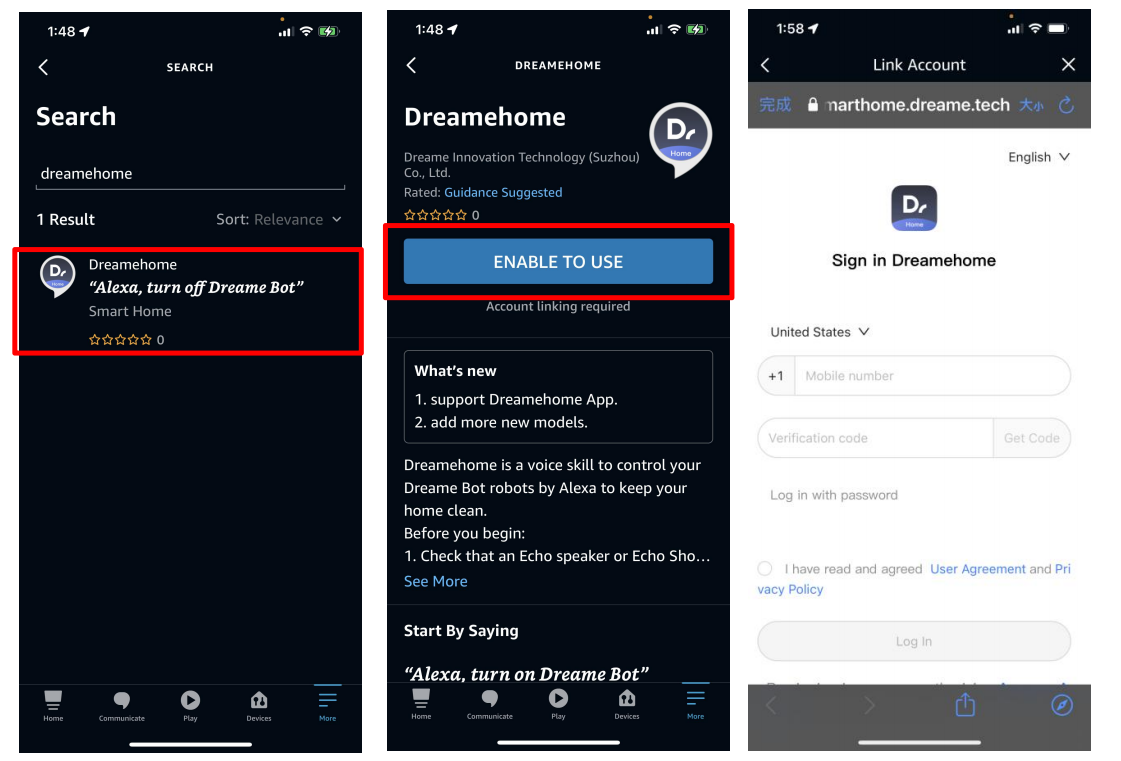
🔑 A Little Login Love
This skill needs your Dreamehome account to rock 'n' roll, so make sure you've got the Dreamehome app downloaded and logged in. If you're all set, you'll see your devices linked to Dreamehome. If they're playing hide-and-seek, just say, "Alexa, search devices," and voilà!
📣 Notice:
Every robot vacuum model is ready to mingle with Alexa, so no worries there!
And that's a wrap! Your robot vacuum is now all set to chat with Alexa. Whether you want it to clean up a mess or just take a little spin around the room, your Echo's got your back. Happy vacuuming and enjoy the show! 🌈🧹

Comments
0 comments
Please sign in to leave a comment.