Hey there, tech-savvy home hero! 🦸💧 Ever faced the frustrating situation where your robot's water tank just isn't filling up as it should? Worry not, because we're about to embark on a journey to solve this little mystery together.
Software Update Surprise
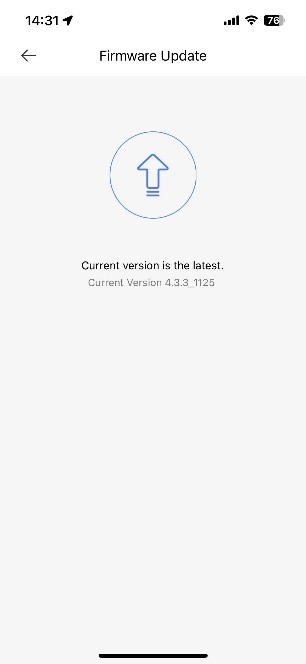
Sometimes, the secret to fixing the problem might be as simple as updating the software. Just like our smartphones, your robot could use a software boost to get back to its best. Here's how you can check for updates:
- Check for Updates: Ensure your robot vacuum's software is up to date. This can usually be done through the app or on the device itself.
If your robot is already up to date but the problem persists, let's move on to the next steps.
Robot's Homecoming Ritual
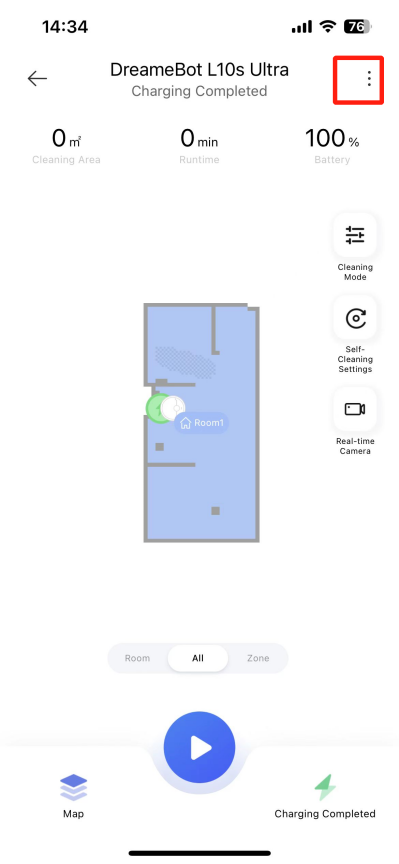
Make sure your robot is back in its base station, like a superhero returning to its lair. Here's how to perform the homecoming ritual for a quick fix:
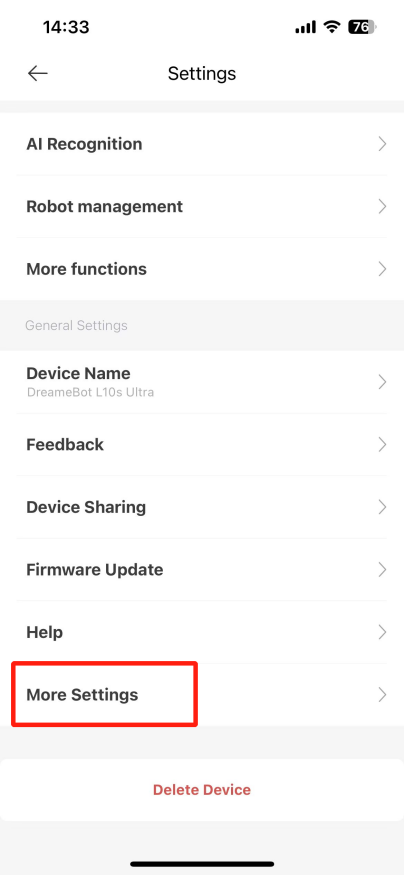
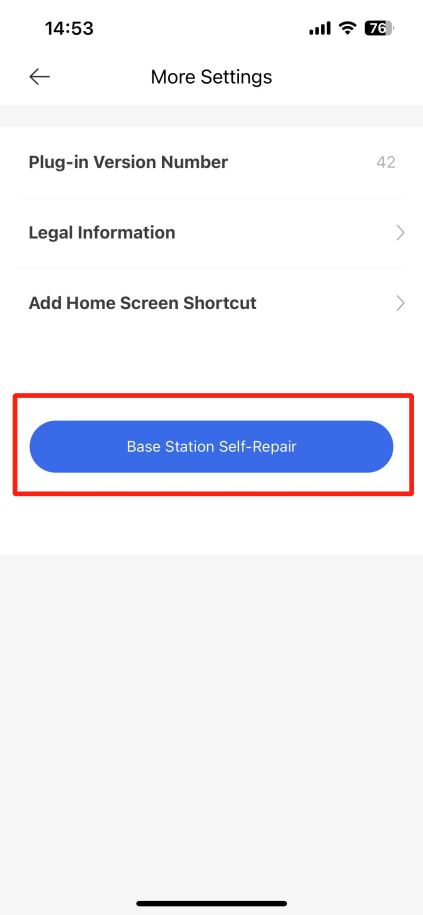
- Go to "Settings": This is the first step in our troubleshooting spell book.
- Dive into "More Settings": Deep dive into the more settings menu, where the magic often happens.
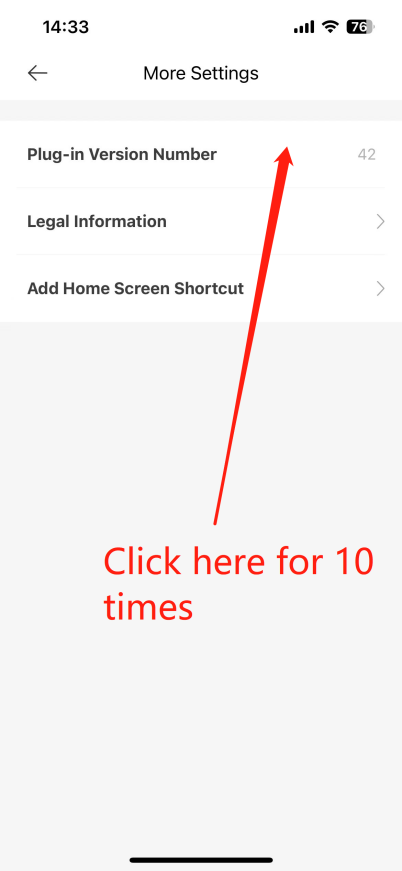
- Tap the "Plug-in Version Number": Tap this 10 times, as if you're casting a digital spell to awaken your robot's senses.
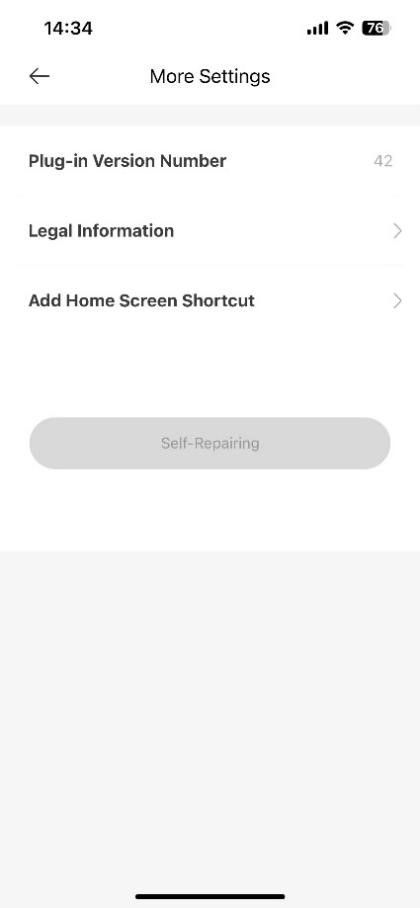
- Click "Base Station Self-Repair": This initiates a self-repair sequence, letting the magic happen and hopefully resolving your issue.
What's Happening Behind the Scenes
- Upgrade Time: Your robot might be waiting for a software update to unlock its full potential. It's like giving it a new set of tools to do its job better.
- Self-Repair Sequence: By tapping the version number and initiating self-repair, you're giving your base station a little nudge to remember how to fill up the water tank. It's like rebooting a computer to clear out any confusion.
Get Your Robot Back in Action
- Update, Update, Update: Make sure everything is up to date. It's like keeping your library of books current with the latest releases.
- Follow the Ritual: If the update doesn't do the trick, perform the homecoming ritual to reset and repair. It's like giving your robot a fresh start.
With these steps, your robot should be back to filling its water tank in no time, ready to tackle the dirt and grime with renewed vigor! 🌟💦
Note: These steps are tailored specifically for the Model L10s Ultra. If you continue to experience issues, don't hesitate to reach out to our customer service team. We're here to help you and ensure your cleaning experience is nothing short of spectacular!
Happy cleaning, and here's to a spotless home with your L10s Ultra! 🏡✨

Comments
0 comments
Please sign in to leave a comment.