Hey there, tech-savvy home manager! 🏠🤖
Ready to roll out some new tricks with your trusty home robot? Let's dive into the latest features that'll have you seeing your home like never before! 👀🌍
1. Activation Code: Your Secret to Secure Viewing
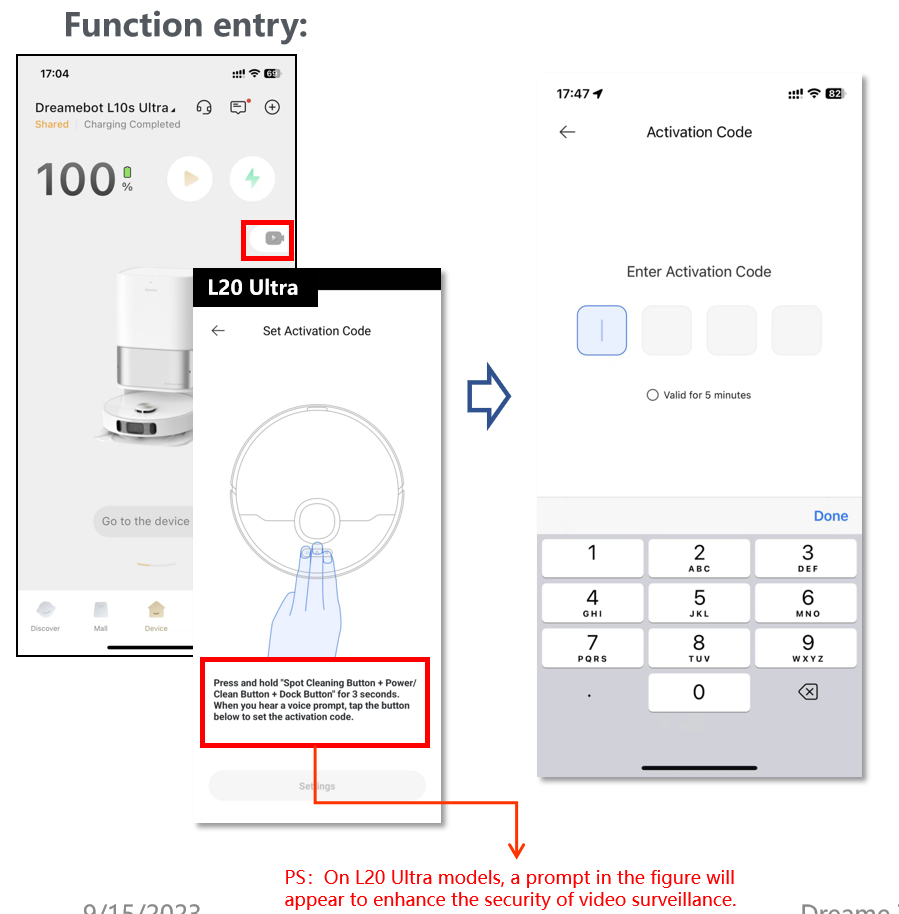
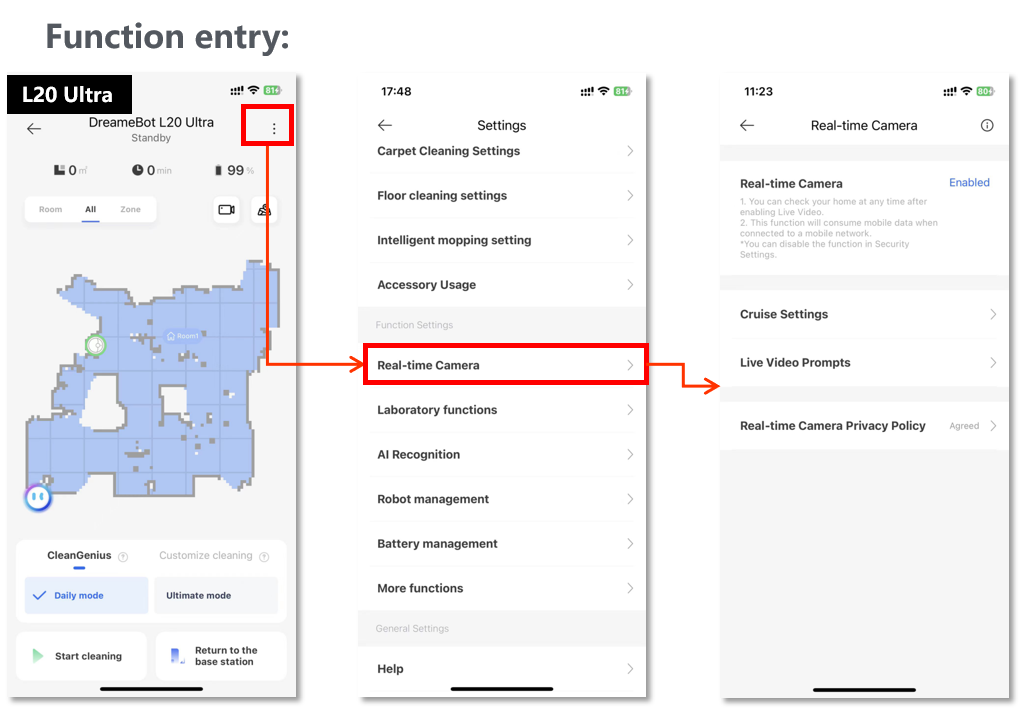
First Timers Alert! When you're all set to peek through your robot's eyes with the real-time camera, you'll need to give a nod to the privacy policy. This means you're cool with turning on the robot's camera and your phone's mic. Easy peasy!
Setting Your Secret Code:
- First-time Binding: Time to pick a super-secret code. It's your magic key to bind with your robot for the first time.
- Network Shenanigans: If you're the same awesome owner and you've just played around with your network settings, no need to change the code. But if your robot gets a new home or you've reset it, it's time to pick a fresh code.
- Robot Reset: If your robot gets a reboot, you'll need to reset that activation code. Keep it secure, but memorable!
2. Real-time Camera: Your Robot's Perspective
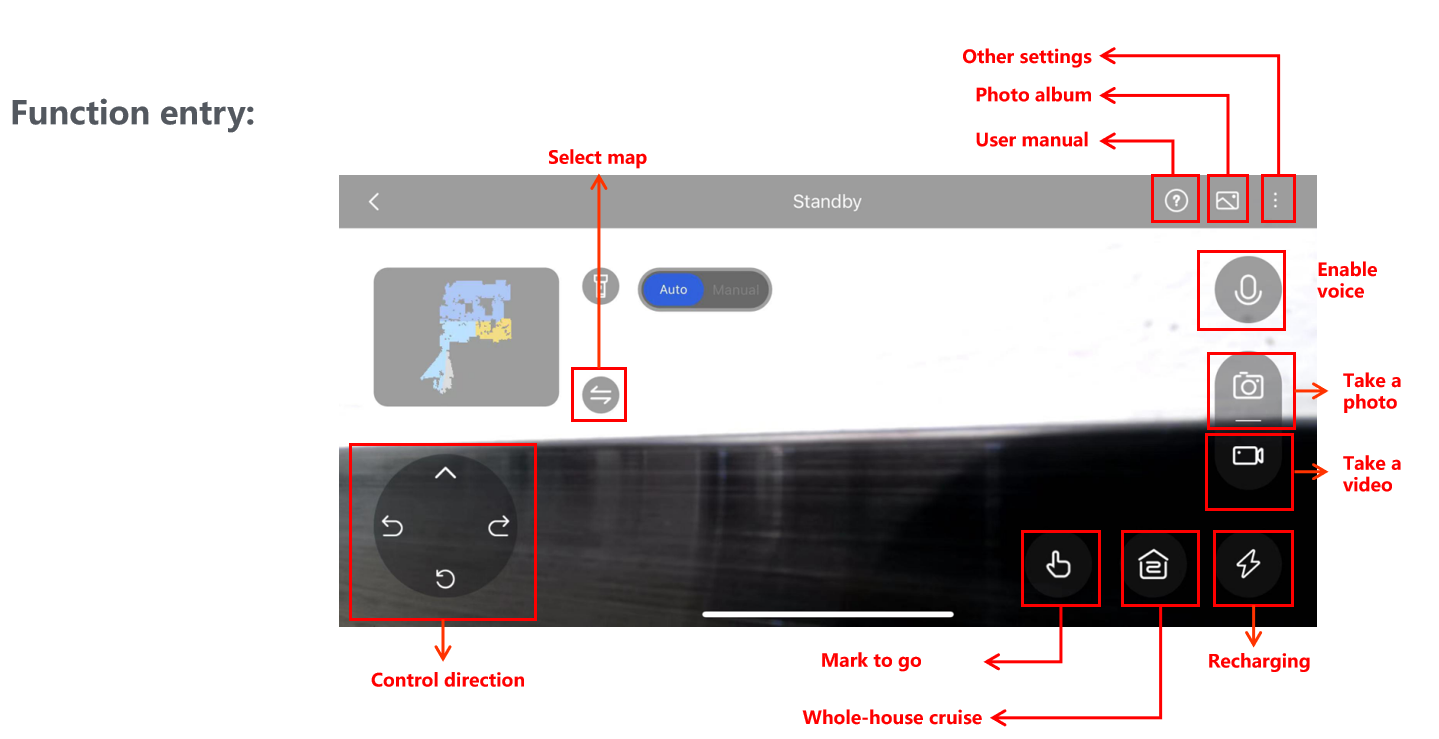
Now that you've got the code, you can take control! Guide your robot around, explore with "Mark to go" mode, or let it have the freedom to roam in "Whole-house cruise" mode. You're the pilot! 🕹️
3. Whole-house Cruise: Mapping Your Home
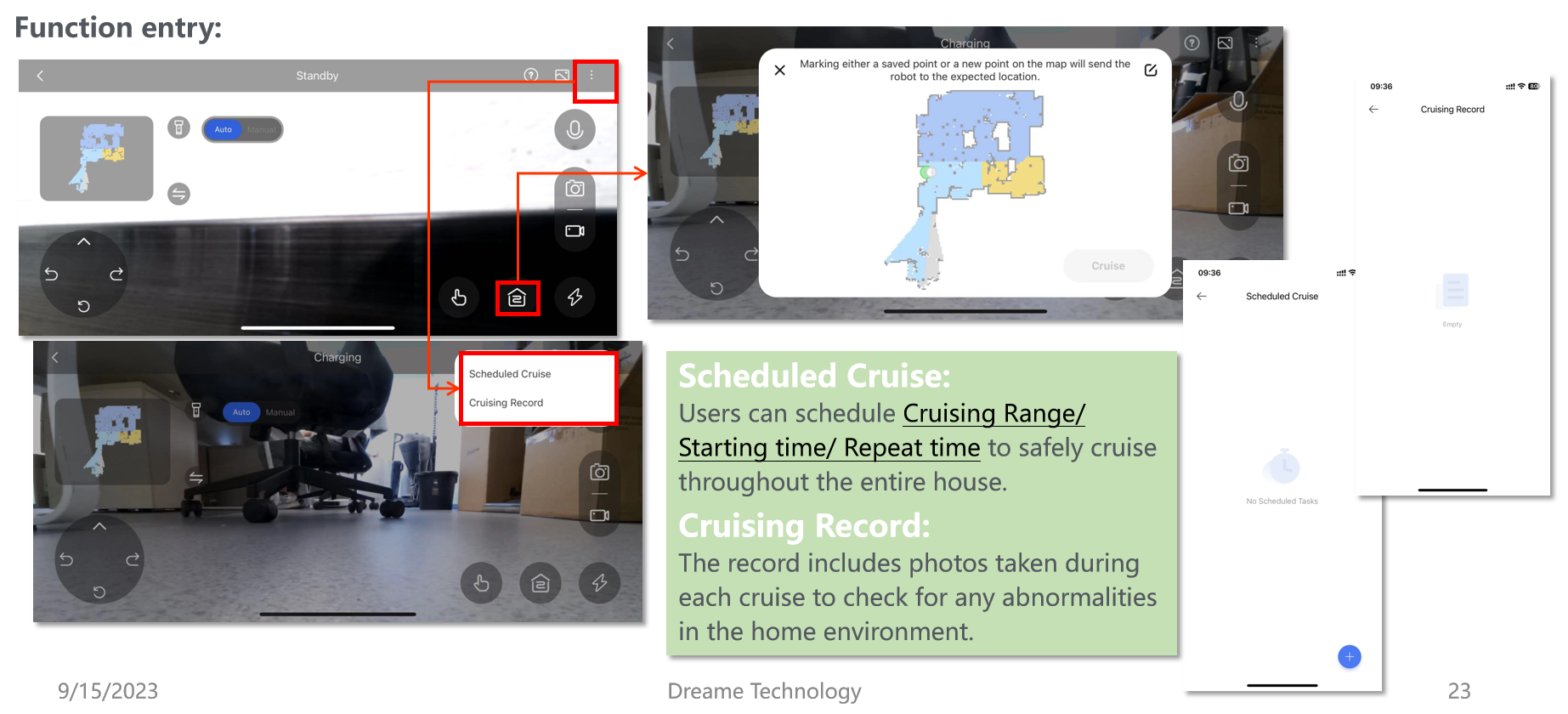
Feel like a mapmaker? Just tap anywhere on the map, and your robot will set sail to snap pics of the surroundings. It's like having a personal photographer for your home! 🗺️📸
4. Mark to Go:
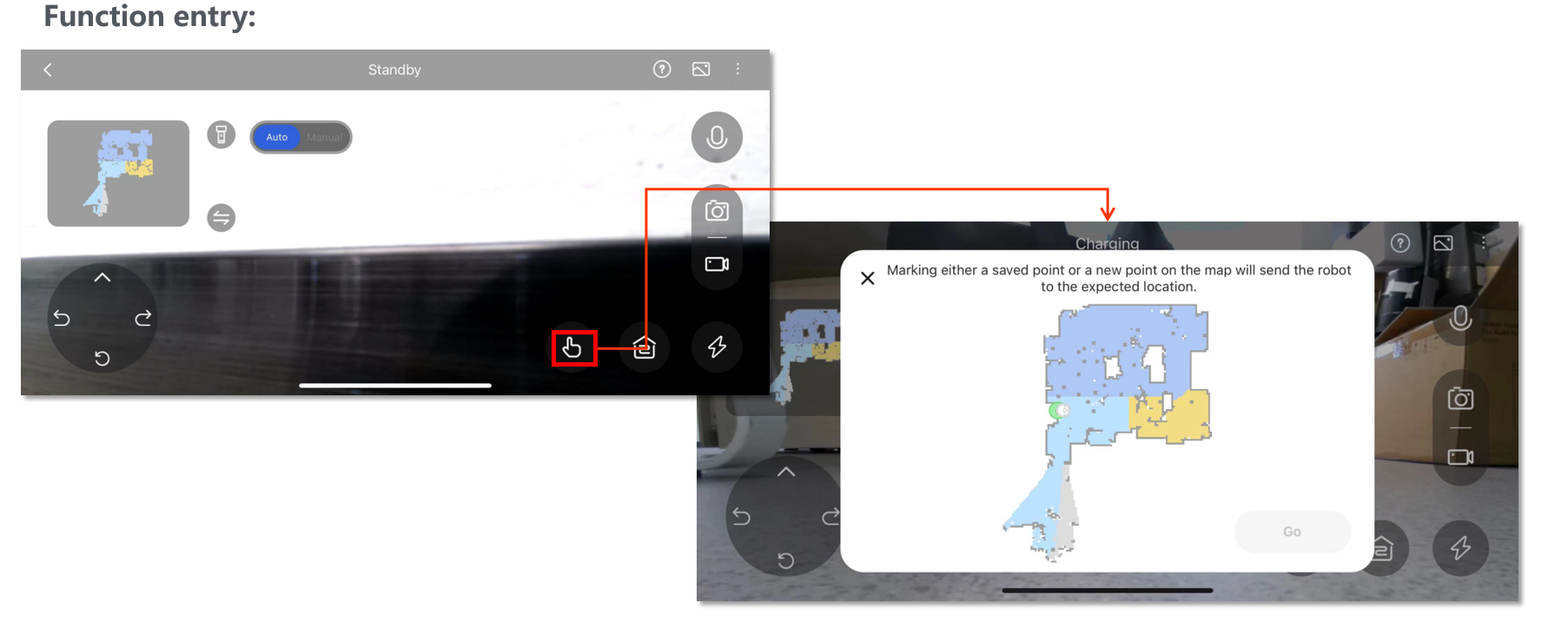
Ever wish you could just point and have your robot come to you? Now you can! Tap a spot on the map, and your robot will hustle on over to that exact point, ready for your next command. It's like having a butler with a built-in GPS! 🎩🗯️
5. Related Settings: Cruise Control and More
Cruise Settings: Here's where you can plan your robot's photo shoots, schedule cruises, and review past adventures. It's your mission control for home exploration!
Live Video Prompts:
- Strong Mode: When you're live, you'll get voice prompts, so you know exactly what your robot sees and hears.
- Weak Mode: Prefer a subtle hint? The camera light will glow when the Live Video is on, giving you a visual nudge.
And there you have it! With these new functions, your robot is ready to be your eyes and ears around the house. Whether you're checking in from afar or just want to see things from a new angle, your home is now at your fingertips. Happy exploring! 🌟🏡

Comments
0 comments
Please sign in to leave a comment.