Introduction:
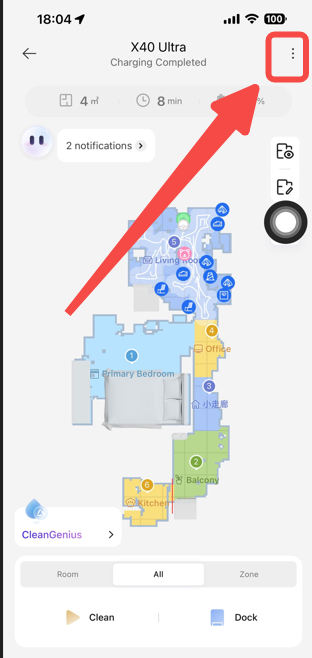
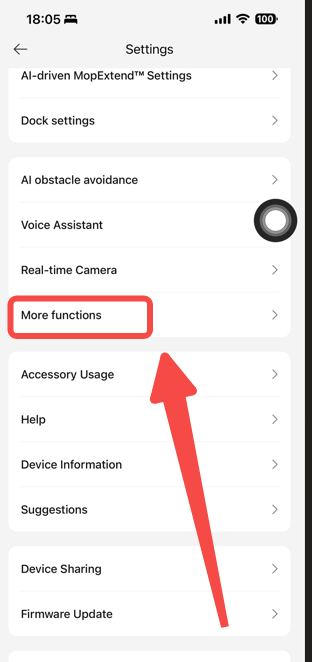
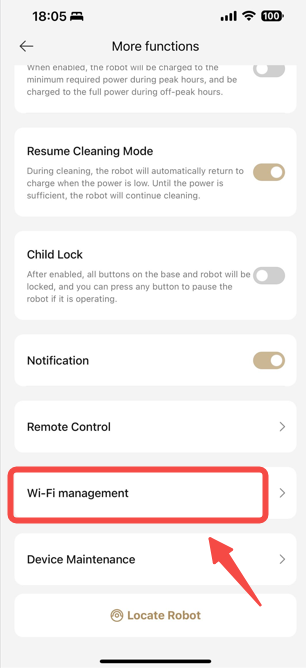
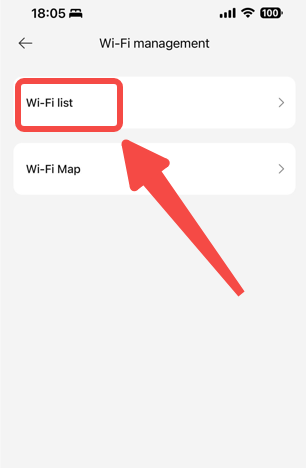
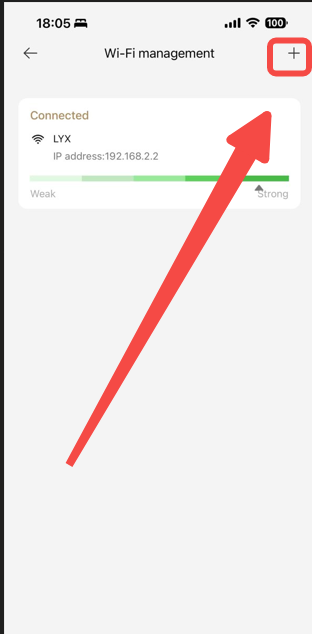
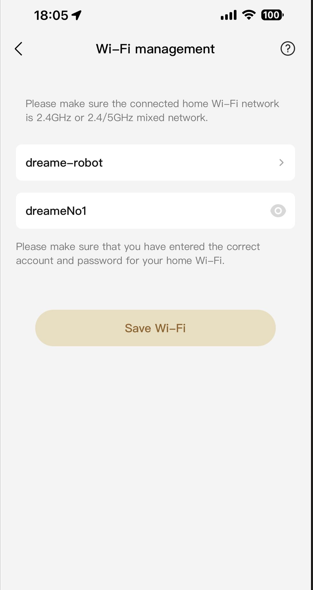
If you want to switch the WiFi network your device is connected to, you can easily do so by staying online and adding a new network in the app. Here's how:
Troubleshooting:
-
- If you can't connect to the new network, check the network's details to ensure it's available and the password is correct.
- If you're having trouble staying connected, try restarting the device or resetting the network settings in the app.
- For more help, visit the "Help" section in the app or contact customer support.
Conclusion: Switching WiFi networks is a simple process that can be done directly from the app. If you follow these steps, you can easily connect to a new network or switch between available networks. If you encounter any issues, the app's "Help" section or customer support is available to assist you.

Comments
0 comments
Please sign in to leave a comment.