Hey there! Want to make sure your robot navigates obstacles like a pro? Adding a virtual threshold is a game-changer! Here’s a simple, step-by-step guide to help you set it up.
For L20 Series, L30 Series, and X30 Series Robots
Step 1: Map Editing
- Jump into map editing mode.
- Choose the ground environment setting.
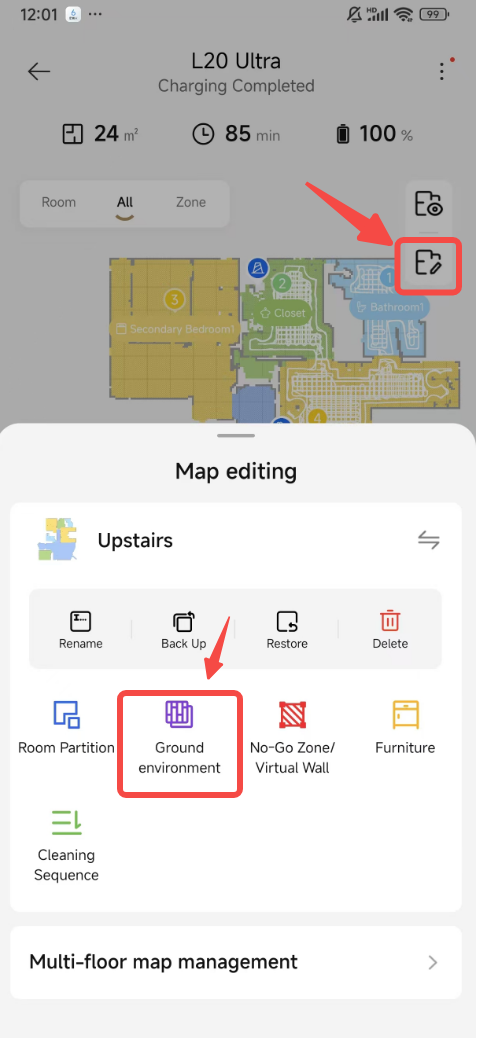
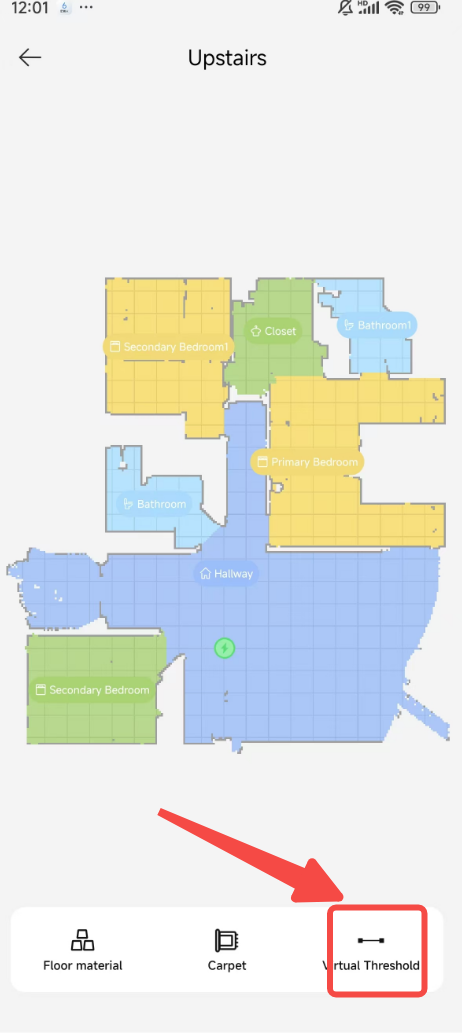
Step 2: Adding the Virtual Threshold
- Look for the virtual threshold option.
- Place it right where you need that extra help for your robot to cross.
- Click the checkmark (√) to save your changes.
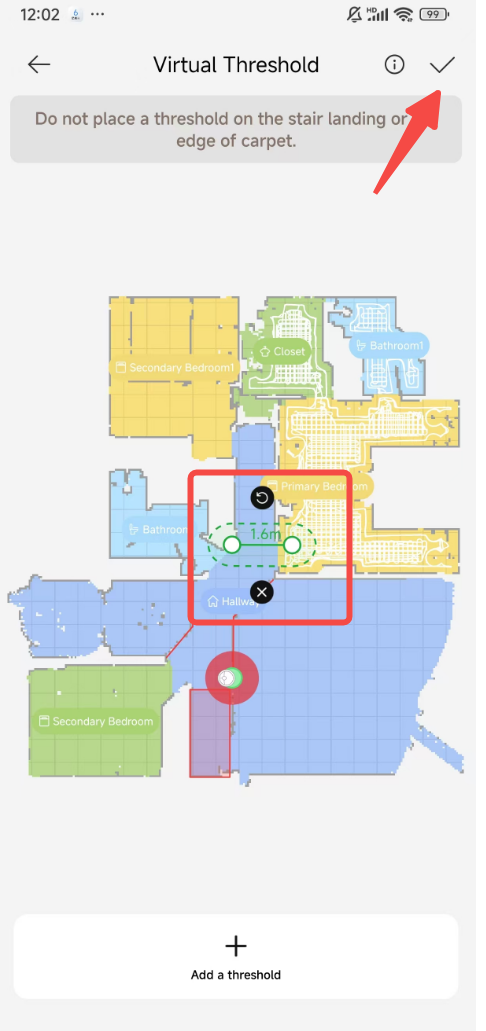
Once you’ve set up your thresholds, your robot will glide over those tricky spots with ease. Just make sure to center the threshold as close to the obstacle as possible for the best results.
Safety Tips:
- Keep away from areas where your robot might take a tumble, like near staircases.
- Avoid placing thresholds at the edge of carpets to prevent your robot from getting caught.
For X40 Series&X50 Series Robots
The X40 series has the added bonus of being able to handle both virtual thresholds and ramps. You’ve got options: Passable Threshold, Impassable Threshold, and Ramp. Here’s how to set them up:
Step 1: Map Editing
- Head to map editing.
- Select the virtual threshold/ramp option.
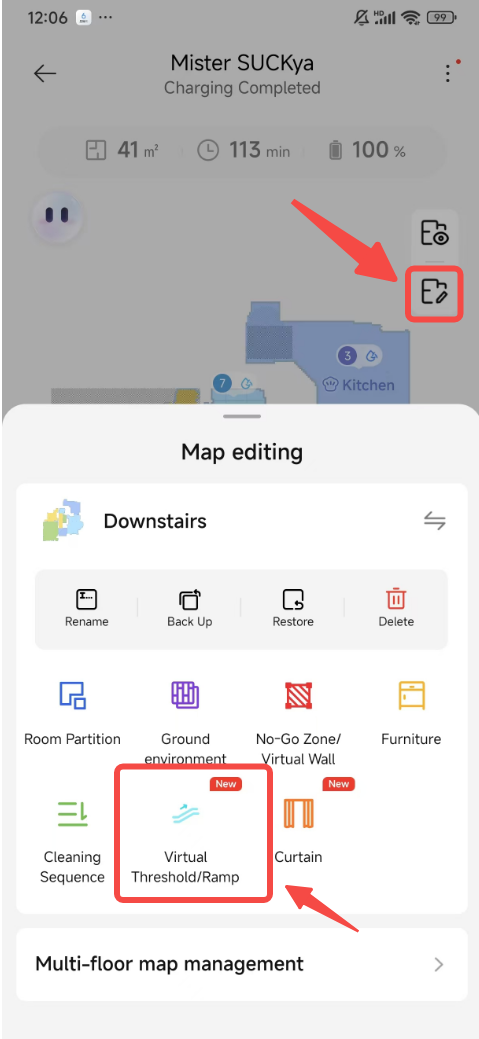
Step 2: Customizing Your Path
- Add the type of virtual threshold or ramp that fits your needs.
- Once you’re happy with the setup, click the checkmark (√) to lock it in.
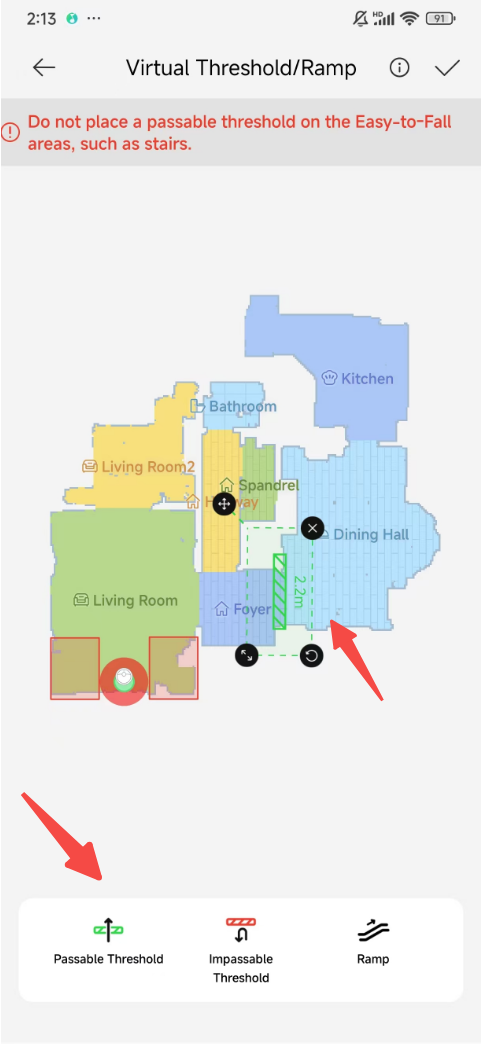
Passable Threshold:
- Your robot can smoothly pass over moderate thresholds. For the really high ones, consider installing a threshold bar.
- The robot will use a climbing strategy without cleaning, so threshold bars can be a big help.
Safety Tip:
- Don’t put passable thresholds on stairs!
Impassable Threshold:
- Use this to keep your robot from crossing certain thresholds and reduce those pesky collisions.
Ramp:
- Install a ramp as the approved path for your robot to tackle steps (just make sure the angle is no more than 12°).
- Safety first: Place the ramp so there’s no risk of falling at the entrance or exit.
And there you have it! Your robot is now ready to tackle those obstacles with a virtual boost. Happy navigating!

Comments
0 comments
Please sign in to leave a comment.